
AI Presentation Maker for Consultants
Approve a MECE outline first, then export clean PowerPoint slides.

Editable .pptx
How GenPPT builds consulting decks
- 01
Upload your client PDF or brief
GenPPT reads the full file and keeps every number exact.
Q3_Client_Review.pdf
File-only mode - 02
Approve the outline before slides render
Lock MECE action titles, then pick one look from four concepts.
- 03
Export editable PowerPoint for the client
Hand off native .pptx text, tables, and charts, or a clean PDF.
Editable .pptxPDFPNG
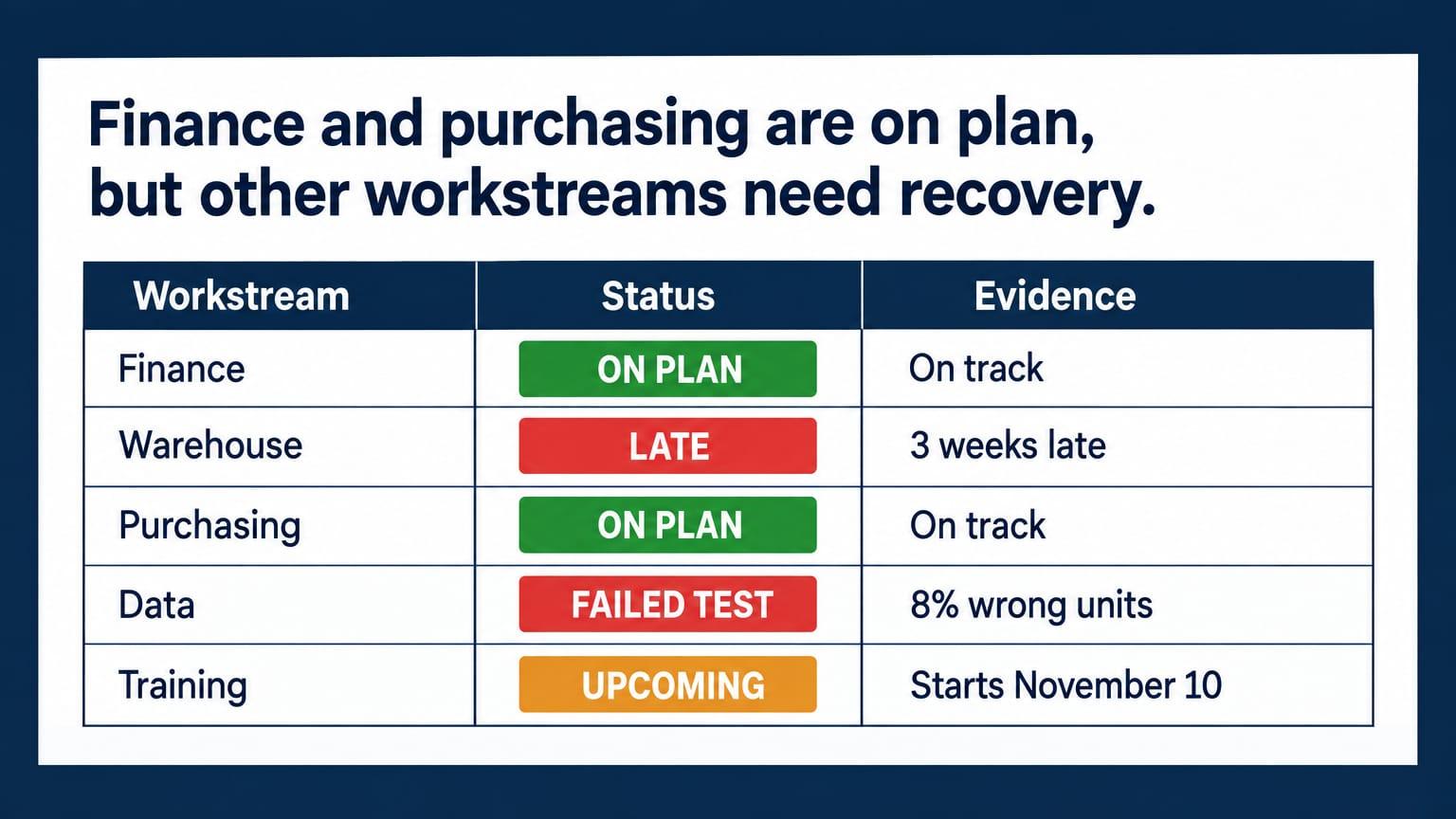
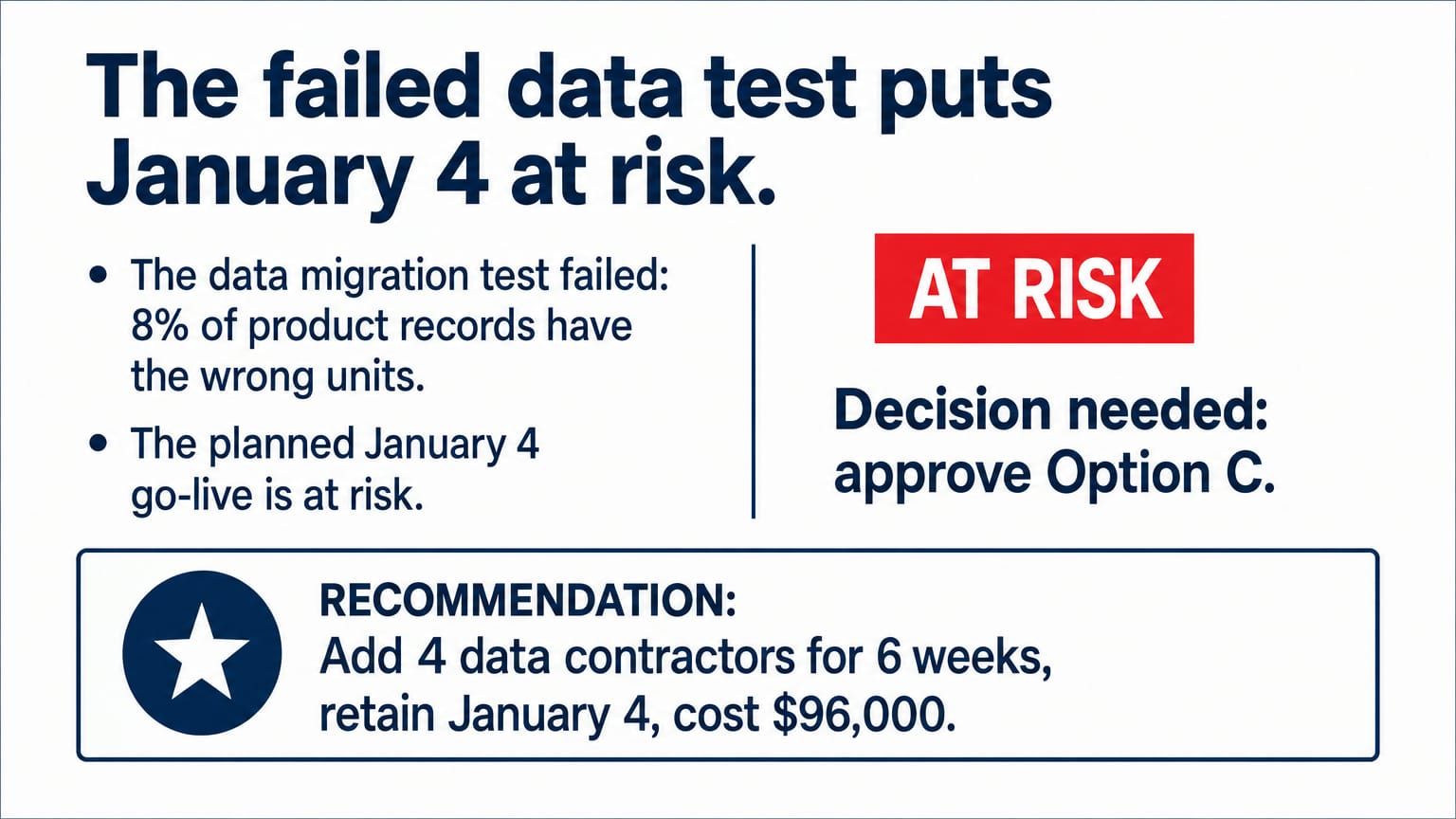
See a real deck: Steering committee update with a red status
A 9-slide monthly update for an invented ERP rollout that is behind its plan. Inspect full prompt and slides or browse all project status update examples.
| Manual PowerPoint vs. GenPPT | Manual PowerPoint | GenPPT |
|---|---|---|
| Time to first draft | Hours of layout work | Under 4 min for 8 slides |
| Consulting structure | Build from scratch | Approved outline before render |
| Client numbers | Retyped by hand | 8 of 8 KPIs exact in our benchmark |
| Visual direction | Default templates | Pick from a 4-panel concept sheet |
AI Presentation Maker for Consultants FAQ
- How does GenPPT keep client numbers accurate?
- Turn on File-only grounding and approve the outline before slides render. In our Fernhollow Q3 PDF benchmark, GenPPT extracted 8 of 8 KPIs accurately.
- Can consultants export editable PowerPoint (.pptx) files?
- Yes. Editable PowerPoint gives native text boxes, tables, and charts, or export image .pptx, PDF, or PNG.
- Can GenPPT use my firm's .potx Slide Master?
- No. GenPPT designs its own layouts, so use Plus AI or Microsoft Copilot when a locked corporate template is required.
- What does GenPPT cost for consulting decks?
- Outline previews in the McKinsey Slide Generator are free with no login. Studio starts with a $1 3-day trial, then $25/month or $99/year.
Build your next client deck in minutes