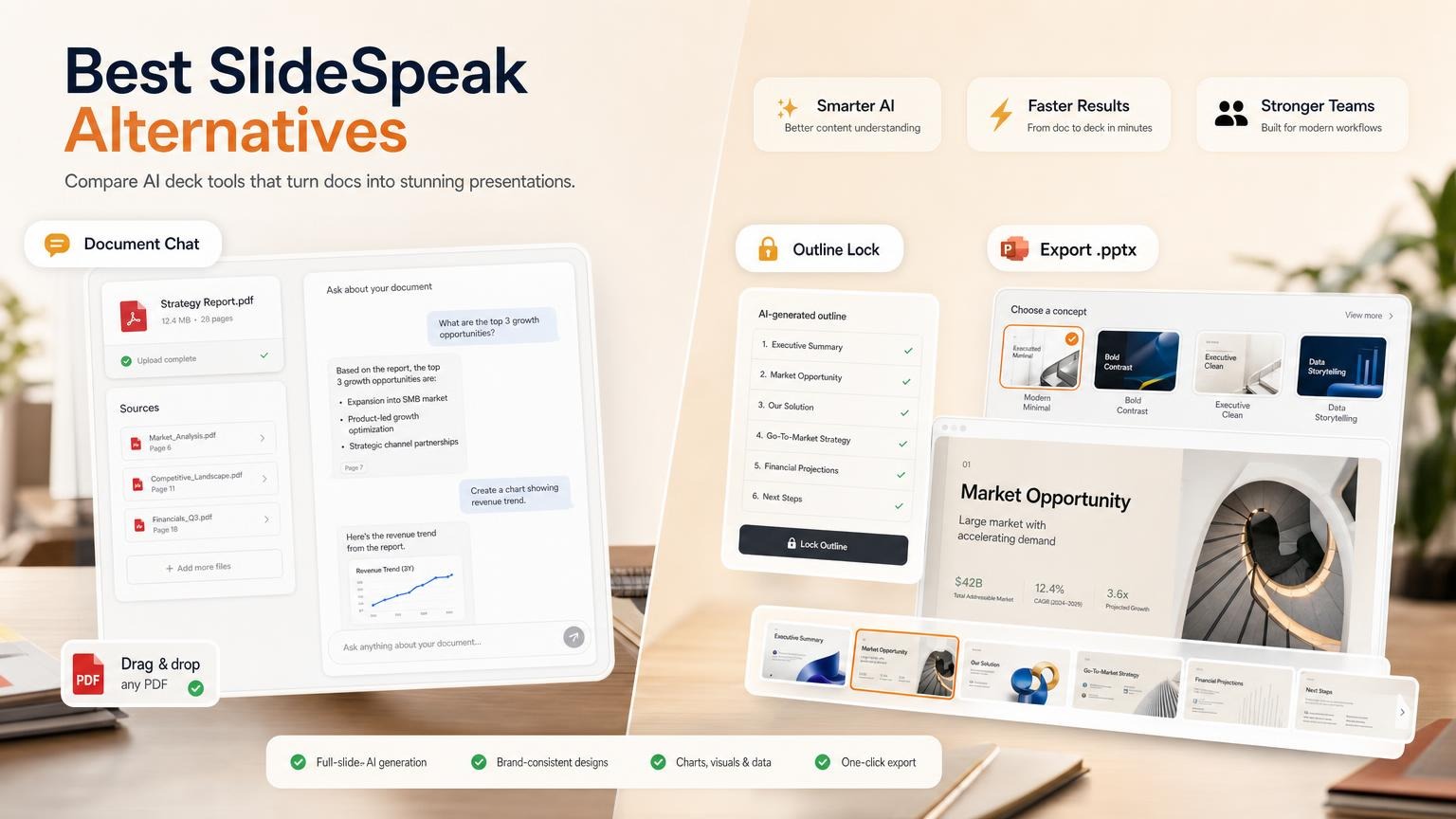
SlideSpeak is an AI presentation tool that turns a PDF, Word file, spreadsheet, link or prompt into an editable PowerPoint deck. It also has a document chat bot and an editing assistant named Charles. You get 100 credits when you sign up, and paid plans start at $29 per month.
The best SlideSpeak alternatives are GenPPT for designed full-slide decks, Pitches.ai for investor pitch decks, Gamma for web-native drafts, Plus AI for work inside PowerPoint or Google Slides, and ChatGPT for summaries and outlines.
What is SlideSpeak?
SlideSpeak is a browser-based AI presentation platform. You give it a file, a link or a one-line idea. It builds a slide deck that you can edit, brand and export.
The SlideSpeak website listed these features on October 2, 2026:
| Feature | What it does |
|---|---|
| Deck generation | Builds slides from a prompt, a PDF, Word, Excel or PowerPoint file, or a website URL. You approve the outline first. |
| Charles | An AI assistant in the editor. It writes and rewrites text, adjusts tone, summarizes data and generates images. |
| Document chat | Answers questions about an uploaded PDF, Word or PowerPoint file, and writes summaries. |
| Brand and templates | Applies your fonts, colors and logo, or your own PowerPoint template. |
| Video and translation | Turns a deck into a narrated video and translates slides. |
| Export | PowerPoint (.pptx), Google Slides, PDF, video, and SCORM or QTI for training systems. |
SlideSpeak also offers an API and an MCP server for developers. Its site has pages for consultants, students, teachers and training teams.
One point sets it apart from web-first tools: the output is a native .pptx file. SlideSpeak says charts and tables come out as editable objects, so you can finish the deck in PowerPoint.
How SlideSpeak works
SlideSpeak describes the flow in these steps:
- Start. Upload a PowerPoint, PDF, Word file or spreadsheet, paste a link, or type a one-line idea.
- Approve the outline. No slides are built before you accept it.
- Edit and brand. Change text, charts, images and layouts in the editor. Apply your fonts, colors, logo or template.
- Deliver. Export the file, narrate it as a video, or translate it. File export needs a paid plan.
SlideSpeak pricing
SlideSpeak has a free plan, two paid plans and an Enterprise plan. These prices are from the SlideSpeak pricing page on October 2, 2026, in US dollars.
| Plan | Monthly billing | Annual billing | Credits |
|---|---|---|---|
| Free | $0 | $0 | 100, one time at sign-up |
| Premium | $29/month | $24.65/month | 1,000 per month |
| Premium Plus | $34/month | $28.90/month | 2,500 per month |
| Enterprise | Custom quote | Custom quote | Custom volume |
The page also shows crossed-out list prices of $30 and $40 next to the monthly prices. Check the live price before you buy.
What each plan gives you:
- Free: online sharing, the Charles assistant, document chat, 150+ languages and a 50 MB file limit. File export is not on the list, and the 100 credits do not refill.
- Premium: export to PDF and PowerPoint, SlideSpeak AI 5.0, the AI video generator, custom deck length, no file size limit, 30-day version history and credit top-ups.
- Premium Plus: everything in Premium, plus branded presentations, a custom brand image library and 90-day version history.
- Enterprise: adds SSO, multiple custom templates and priority support.
What a SlideSpeak credit buys
Every action draws from one credit balance. Uploads, outlines and duplicates cost no credits.
| Action | Credit cost |
|---|---|
| Slide made with SlideSpeak AI 4.0 | 1 per slide |
| Slide made with SlideSpeak AI 5.0 | 5 per slide |
| AI video | 5 per slide |
| Translation | 1 per slide |
| Assistant message | 1 per message |
A 15-slide deck costs 15 credits on AI 4.0 and 75 credits on AI 5.0. If you use only AI 5.0, the 1,000 Premium credits cover about 13 decks of that size.
SlideSpeak's own estimate uses a mix of both engines: about 3 presentations on the 100 sign-up credits, about 27 per month on Premium, and about 67 per month on Premium Plus.
Extra costs to plan for
- Credit top-ups: 500 credits for $10, 2,000 for $30, or 5,000 for $50. Paid plans only. Top-up credits last 12 months.
- Custom template add-on: $129 per template.
- Student discount: 25% off for verified academic accounts.
- Refunds: you must ask within 7 days of your first purchase. The refund policy excludes renewals, lifetime and API plans, and accounts that generated more than 5 presentations in those 7 days. The pricing page also excludes promotional offers.
- Lifetime offer: on the day of this check, the site showed lifetime Premium Plus access for $359 as a limited offer. It may be gone when you read this.
SlideSpeak review: strengths and limits
This review uses public sources: SlideSpeak's product pages, its pricing page, its refund policy and public review sites. It is not a scored hands-on test.
Strengths
- Native PowerPoint files. The export is a real .pptx. SlideSpeak says charts and tables are editable objects, not pictures.
- Wide input. PDF, Word, Excel, PowerPoint, website links and plain prompts.
- Your own template. You can generate into a company .pptx or .potx template.
- More than slides. Document chat, translation, narrated video, quizzes, and SCORM or QTI export for training teams.
- Outline step. You approve the outline before the slides are built.
Limits
- Credits make cost hard to predict. AI 5.0 costs 5 times more per slide than AI 4.0, and each assistant message also costs a credit.
- The free plan is a preview. You cannot export a file, and the 100 credits are one time only.
- Brand work costs more. Branded presentations start at Premium Plus, and a custom template is a $129 add-on.
- Layouts are template-based. That helps when you edit in PowerPoint. One third-party review (work-management.org) reports narrower design variety than rivals such as Gamma. We did not verify this.
- The refund window is short. 7 days, and not after more than 5 generated presentations.
What reviewers say: SlideSpeak's homepage shows a 4.9 rating from 2,847 reviews. That figure is self-reported.
On Trustpilot, the score was 2.3 from 12 reviews on October 2, 2026. The low ratings mention billing and refunds, changes to lifetime plans, the affiliate program and output quality.
Twelve reviews is a small sample. Trustpilot also notes that the profile is unclaimed and that the reviews may not be representative. Read the recent ones yourself.
Quick comparison: SlideSpeak alternatives at a glance
| Tool | Best for | Starting price | Document input |
|---|---|---|---|
| 1. GenPPT | Designed full-slide decks | $1 trial (3 days), then $25/mo or $99/yr | PDF, Word, text, images, links |
| 2. Pitches.ai | Investor pitch decks | Free to generate; export $49/deck or $249/yr | URL, memo, PDF, spreadsheet |
| 3. SlideSpeak | Editable .pptx and document chat | 100 credits at sign-up; Premium $29/mo | PDF, Word, Excel, PPTX, links |
| 4. Gamma | Web-native drafts | 400 credits at sign-up; Plus $12/mo, or $9/mo annual | PDF and PPTX import |
| 5. Plus AI | Slides inside PowerPoint and Google Slides | $15/user/mo, or $10/user/mo annual | PDF, .docx, .txt on Pro |
| 6. ChatGPT | Summaries and outlines | Free tier; Plus $20/mo | File uploads |
All prices were checked on each vendor's own site on October 2, 2026.
For broader deck tools, read Best AI Presentation Makers and PDF to PowerPoint with AI.
When SlideSpeak still makes sense
SlideSpeak is the right tool for some jobs. Stay with it when:
- You finish decks in PowerPoint. You need text boxes, charts and tables that you can edit by hand.
- Your company has a required template. SlideSpeak generates into your own .pptx or .potx file.
- Document Q&A is part of the work. You want to ask questions about a long PDF, then make slides from the same file.
- You make training content. Narrated video, quizzes and SCORM or QTI export are built in.
- You work in many languages. The pricing page lists 150+ languages, and translation keeps the layout.
- You generate decks from code. There is an API, with Zapier and Make integrations.
When to pick a SlideSpeak alternative
Look at another tool when one of these is true:
- You want slides that look designed, not a filled template. GenPPT renders each slide as a full visual in a concept you choose.
- You want a flat price. GenPPT paid plans include 20 decks per month, so you count decks, not credits per slide.
- You are raising money. Pitches.ai is built only for investor decks.
- You want to test export before you pay. Gamma lists PDF and PPTX export on its free plan.
- You do not want to leave PowerPoint or Google Slides. Plus AI runs inside both.
- You only need a summary or an outline. ChatGPT is enough.
Best SlideSpeak alternative by use case
| Your job | Best pick | Why |
|---|---|---|
| Turn a report into a designed deck | GenPPT | You approve the outline, pick a visual concept, and get full-slide designs |
| Raise a seed round | Pitches.ai | 12 investor slides from your company URL and files |
| Share a deck as a web page | Gamma | Web-native format with online sharing |
| Build slides inside Google Slides or PowerPoint | Plus AI | Add-on for both apps |
| Keep editable charts and a company template | SlideSpeak | Native .pptx objects and template upload |
| Make a narrated training video | SlideSpeak | AI video with SCORM export |
| Summarize a PDF before you plan slides | ChatGPT | Fast summary and outline |
1. GenPPT: best for outline approval and full-slide visuals
GenPPT is a presentation-first tool. You start from a prompt, a PDF, a Word document, a text file, images or a link.
GenPPT researches the topic and drafts an outline. You approve the outline and pick a visual concept. Then it generates full-slide designed slides in about 2 to 3 minutes, and you edit single slides in chat.
SlideSpeak has an outline step too. The difference is in the slides and in the price model:
| Point | GenPPT | SlideSpeak |
|---|---|---|
| Slide style | Full-slide, image-native designs | Template layouts with editable objects |
| Price model | Flat: 20 decks per month on paid plans | Credits per slide and per message |
| First step | $1 trial, 3 days, card required | 100 credits at sign-up, no export |
| Export | .pptx and PDF, no watermark on paid plans | .pptx, PDF and Google Slides on paid plans |
Pricing: $1 trial for 3 days of full access (card required), then $25/month or $99/year. There is no free plan.
Limits: slides are image-native designs. You change them in chat, and charts do not link to Excel. Check every number and claim yourself before you present.
If you need editable chart objects or a company template, SlideSpeak or Plus AI fits better.
Choose GenPPT when: you want a designed presentation from a document or a topic, at a fixed monthly price.
The GenPPT vs SlideSpeak page shows the two side by side.
2. Pitches.ai: best for investor pitch decks
Pitches.ai is the focused alternative when the source material should become a fundraising deck. Paste your company URL, or upload a memo, PDF or financial model. It writes a 12-slide investor story and you edit it in chat.
Each slide is a full-resolution image, so you change the words in chat, not in PowerPoint.
Pricing: generation and chat are free. PPTX/PDF export costs $49 per deck or $249/year.
Choose Pitches.ai when: the source material is company context and the output is a seed or pre-seed pitch.
For the slide order that investors expect, read pitch deck structure.
3. SlideSpeak: best when document chat is the main job
SlideSpeak is useful for Q&A over PDFs and Office files, then for turning that material into an editable .pptx. It is also the pick in this list for narrated video and training exports.
Pricing: 100 credits at sign-up, with no file export. Premium is $29/month on monthly billing or $24.65/month on annual billing. Premium Plus is $34/month or $28.90/month.
See the full pricing table above.
Tradeoff: credits, top-ups and the $129 custom template add-on make the yearly cost harder to forecast.
4. Gamma: best for fast web-native drafts
Gamma makes presentations, documents, websites and social posts in a web-native format. It is quick for a first draft that you share as a link.
Pricing: the free plan gives 400 credits at sign-up and up to 10 slides per prompt. Plus is $12/seat/month on monthly billing or $9/seat/month billed annually. Pro is $25 or $18.
Good to know: the free plan lists import from PDF and PPTX, and export to PDF, PPTX, PNG and Google Slides. Removing Gamma branding starts at Plus.
Tradeoff: Gamma is built for the browser first. Open the exported .pptx in PowerPoint and check the layout before you present.
5. Plus AI: best for PowerPoint and Google Slides users
Plus AI is an add-on that generates and edits slides inside PowerPoint and Google Slides. You stay in the app you already use.
Pricing: Basic is $15/user/month monthly or $10/user/month billed annually, with 1,500 AI credits per month. Pro is $25 or $20.
Every plan starts with a 7-day trial that includes 1,000 AI credits. The trial requires a card.
Tradeoff: document uploads (PDF, .docx, .txt) start at Pro. Custom branding starts at the Team plan, and custom templates need an Enterprise plan.
6. ChatGPT: best for summaries and outlines, not decks
ChatGPT is good for summarizing PDFs and drafting slide outlines. OpenAI's help center says the Work feature in ChatGPT can also create presentations, including native Google Slides. Availability depends on your plan and workspace settings.
Pricing: a free tier exists. Plus is $20/month, billed monthly.
Tradeoff: it is a general assistant, not a slide tool. OpenAI tells you to check the content and layout of each file before you share it.
More detail: Can ChatGPT make PowerPoints? and Can ChatGPT summarize a PDF?
How to test a SlideSpeak alternative in 15 minutes
Feature lists do not show slide quality. Run the same document through two or three tools and compare the results.
- Pick one real document. 5 to 20 pages is enough. Remove confidential data first.
- Use the same brief in each tool. Copy the template below.
- Check the outline. It must follow the document, in an order that fits your audience.
- Check the numbers. Compare three figures on the slides with the source.
- Open the export in PowerPoint. Look for moved text, missing fonts and broken charts.
- Write down the cost. Count the credits or decks that the test used.
Create a 10-slide deck from the attached document.
Audience: [who will see it]
Goal: [the decision or action you want]
Tone: [formal / plain / persuasive]
Must include: [3 key numbers or points from the document]
Do not add facts that are not in the document.
If you leave SlideSpeak, export the decks you want to keep as .pptx while your paid plan is active. Export is not available on the free plan.
No document at hand? Start a test deck in GenPPT from one of these topics:
- Quarterly business review for the leadership teamCreate
- Client proposal for a website redesign projectCreate
- New employee onboarding for a sales teamCreate
- Board update on annual results and next-year planCreate
FAQs
Is SlideSpeak free?
SlideSpeak has a free plan with 100 credits at sign-up, which SlideSpeak says is about 3 presentations. The credits do not refill. You can draft, edit and use the assistant, but you need a paid plan to export a PowerPoint, PDF or Google Slides file.
How much does SlideSpeak cost?
Premium costs $29/month on monthly billing or $24.65/month on annual billing, with 1,000 credits per month. Premium Plus costs $34/month or $28.90/month, with 2,500 credits per month. A custom template is a $129 add-on, and Enterprise pricing is by quote.
What is the best SlideSpeak alternative?
GenPPT is the best alternative for designed decks. Pitches.ai is the best alternative for pitch decks. ChatGPT is useful before the deck stage, and Plus AI is the pick if you want to stay inside PowerPoint or Google Slides.
Is GenPPT better than SlideSpeak?
GenPPT is better when the end product is a designed deck with full-slide visuals and a flat monthly price. SlideSpeak is better when you need document chat, editable chart objects, your own PowerPoint template or narrated video. GenPPT has no free plan: it starts with a $1 trial for 3 days.
Is Pitches.ai a SlideSpeak alternative?
Yes, when the document is source material for an investor pitch deck. It is not a general document chat tool.
Is SlideSpeak safe for confidential documents?
SlideSpeak says it encrypts uploaded documents and does not store them permanently after processing. It also tells users to be careful with highly sensitive files on any online platform. Read its privacy policy, and ask your IT team, before you upload client or company data.
How do you cancel SlideSpeak?
Open Account settings in the SlideSpeak sidebar, select Cancel subscription and confirm. You keep the paid features until the end of the billing period. Renewal charges are not refundable, so cancel before the renewal date.
Try it with your own document
Have a document ready? Upload it to GenPPT, approve the outline, and see the designed slides a few minutes later. The $1 trial runs for 3 days and requires a card.