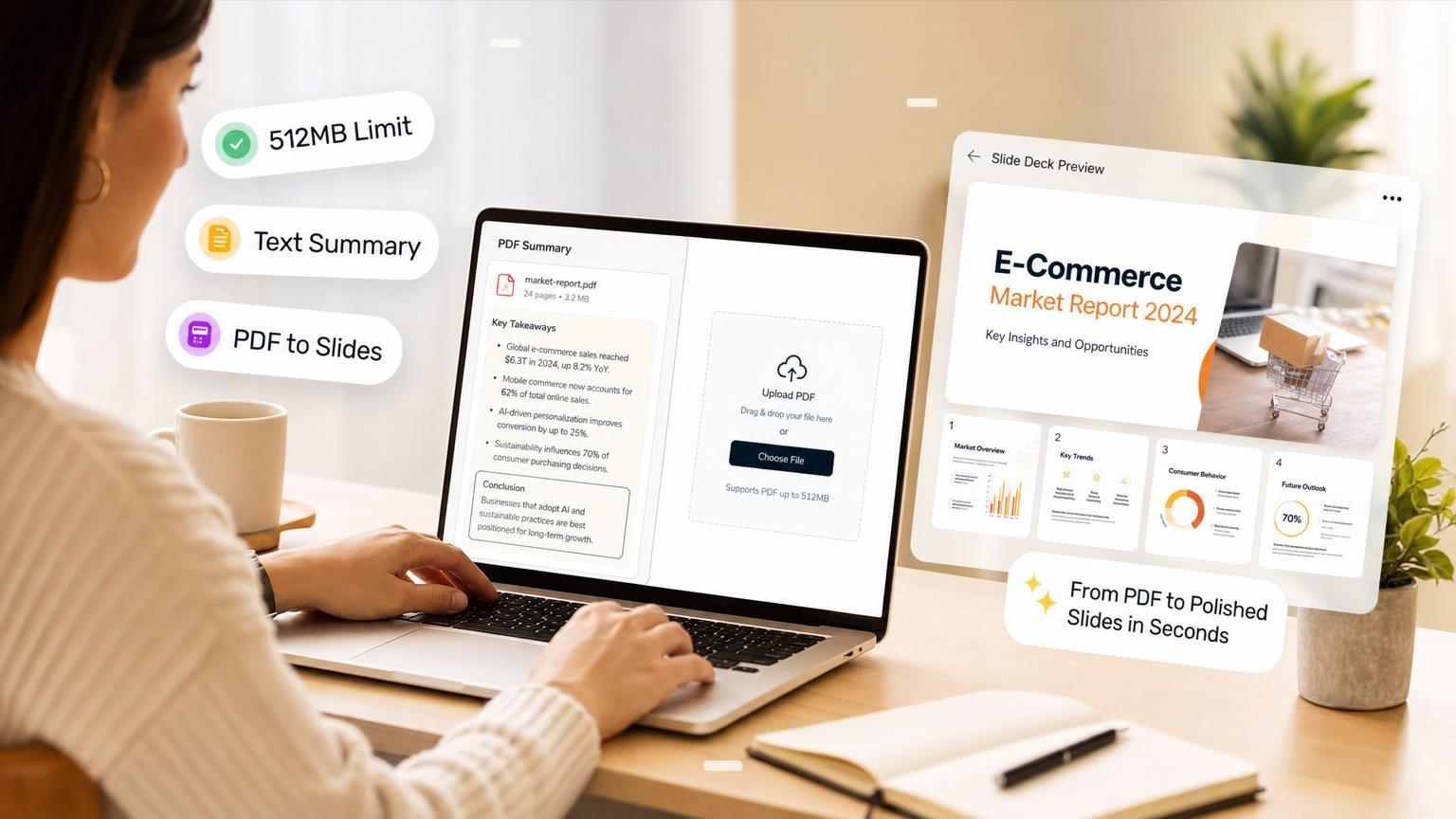
Can ChatGPT summarize a PDF? Yes. Upload a text-based PDF or paste the contents, ask for a summary, and ChatGPT returns prose: bullet points, executive summaries, chapter breakdowns, or Q&A. It won't build slide layouts, pick visuals, or export a .pptx file.
When you need to present the document instead of reading it faster, use a PDF-to-deck path. GenPPT reads your file, drafts a slide-by-slide outline you approve, then renders a deck you can export. For the broader ChatGPT-and-slides question, see Can ChatGPT Make PowerPoints?.
Can ChatGPT summarize a PDF?
Yes. On ChatGPT Plus, Team, and Enterprise, attach a PDF in a chat and ask for what you need:
- One-paragraph executive summary
- Bullet list of key findings
- Slide-by-slide outline (as text only)
- Chapter-by-chapter breakdown
- Answers to specific questions about the document
ChatGPT extracts digital text from the PDF. On most plans it ignores embedded images, charts, and scanned pages unless OCR can read them. OpenAI's file upload FAQ confirms text-based retrieval for non-Enterprise plans.
Free users get limited uploads (about 3 files per day). Paid users get higher rolling limits (up to 80 files every 3 hours on Plus).
ChatGPT condenses a 40-page report into a half-page summary. It won't build a presentation. Copy the output into PowerPoint yourself, or use a deck tool.
ChatGPT PDF upload limits (2026)
File size and token count are separate gates. A dense 80-page PDF can hit the token limit before it hits the size limit.
| Limit | Cap | What it means |
|---|---|---|
| Max file size | 512 MB | Hard ceiling per file |
| Text document tokens | 2 million tokens | Dense PDFs can fail here even under 512 MB |
| Free uploads | ~3 files/day | Rolling daily allowance |
| Plus upload rate | 80 files / 3 hours | Resets on a rolling window |
| Images inside PDFs | Text only (most plans) | Charts and diagrams may be skipped |
| Scanned PDFs | OCR-dependent | Accuracy varies; garbled summaries are common |
| Library storage | 500 MB (Free) to 100 GB (Pro) | Shared across chats and Projects |
If you hit "upload limit reached," wait for the rolling window to reset or split the document into smaller sections and upload them one at a time.
What ChatGPT does well with PDFs
- Pulling main arguments from reports, whitepapers, and research papers
- Listing action items from meeting notes exported as PDF
- Comparing two uploaded documents side by side
- Drafting email or memo copy based on a brief
- Creating a text outline you can paste into slides manually
Where ChatGPT falls short
- No
.pptxexport. Read Can ChatGPT Make PowerPoints? for the full picture - No slide design, layout, or imagery
- Weak on scanned documents, handwriting, and image-heavy PDFs
- ChatGPT drops long appendices and footnotes or summarizes them wrong
- You must verify numbers, dates, and names yourself
Summary vs presentation: two different outputs
You might search "summarize a PDF" with two different goals in mind. Pick the right tool before you upload.
| Goal | Best tool | What you get |
|---|---|---|
| Understand the document | ChatGPT | Text summary, bullets, Q&A |
| Present the document | GenPPT or similar AI deck builder | Slide outline → designed deck → .pptx |
| Archive every page exactly | Adobe Acrobat, Smallpdf | Page-for-page copy, often as flat images |
A summary helps you read faster. A deck helps a room follow your talk: fewer words per slide, clear headlines, and an order built for speaking.
If your PDF is a quarterly report and your meeting is in an hour, skip the 500-word summary. Build 10 slides with the three metrics leadership cares about. You restructure the source into slides; you don't summarize it.
For the full PDF-to-deck workflow, see How to Turn a PDF into a PowerPoint with AI.
When a ChatGPT summary is enough
Stick with ChatGPT when:
- You only need to read faster, not present
- The PDF is short (under ~20 pages of clean text)
- You will paste bullets into slides yourself and design them manually
- You want to ask follow-up questions about the content
- The document is text-heavy with no charts you need preserved
Example prompts that work well:
Summarize this PDF in 5 bullet points for a busy executive.List every action item and owner mentioned in this report.What are the three strongest arguments in this whitepaper?When you need slides instead of a summary
Switch to a deck builder when:
- You have a meeting, pitch, class, or webinar deadline
- The PDF has metrics, tables, or charts that must survive into slides
- You want designed layouts, not a wall of pasted text
- You need a
.pptxfile you can open in PowerPoint or Google Slides - The source is 30+ pages and you need a narrative, not a synopsis
GenPPT fits this workflow.
GenPPT: PDF → outline → slides
GenPPT uses your PDF as source material for a deck. Pull out the story, lock the structure, then design.
Step 1: Upload your PDF
Go to /app/new. Attach your PDF and add a short prompt: audience, slide count, tone, and sections to prioritize or skip.
Supported inputs include PDF, Word, PowerPoint, Excel, CSV, plain text, and images.
Step 2: Approve the outline
GenPPT maps your PDF into a slide-by-slide outline. Edit titles, bullets, and order before GenPPT designs the slides. This is where you catch missing metrics, wrong section order, or slides that should merge.
ChatGPT dumps a summary in one shot. You edit and lock the GenPPT outline before visuals render.
Step 3: Pick a visual concept
Choose a visual direction from a contact sheet: boardroom clean, bold launch creative, or data-forward report style.
Step 4: Export PowerPoint
Generation takes about 2–3 minutes. Export .pptx or PDF, open the file in PowerPoint, and spot-check numbers against your source.
Budget 10–15 more minutes for fact-checking before you present. AI can miss or invent details whether you started from ChatGPT text or a GenPPT upload.
For a broader AI workflow (prompt-only decks, not PDFs), read How to Create a PowerPoint with AI.
ChatGPT vs GenPPT for PDFs
| Factor | ChatGPT | GenPPT |
|---|---|---|
| Primary output | Text summary | Designed slide deck |
| PDF upload | Yes (with limits above) | Yes |
| Outline control | Ask and edit in chat | Approve and lock before render |
| Visual design | None | Full-slide visuals |
.pptx export | No | Yes |
| Best for | Reading, research, drafting copy | Meetings, pitches, training decks |
| Typical time | Under a minute | 2–3 min generation + review |
Use both if you want: summarize a dense appendix in ChatGPT for your own notes, then upload the executive summary pages to GenPPT for the deck your audience sees.
Tips for better PDF results (either tool)
Start with text-based PDFs. Files exported from Word, Google Docs, or InDesign parse cleanly. Scanned pages need OCR and produce errors.
Scope long documents. Upload the executive summary and key chapters instead of a 200-page filing. Tell the tool which sections matter.
Verify numbers. AI summaries and slide outlines can misread percentages, dates, and currency. Cross-check against the source before you send or present.
Split when you hit limits. If ChatGPT rejects a file for token count, break the PDF into sections. GenPPT handles long files better when you attach the relevant chapters only.
Frequently asked questions
Can ChatGPT summarize a PDF for free?
Yes, with limits. Free ChatGPT accounts can upload files, but the allowance is about 3 uploads per day. Summarization quality is the same; you hit rate limits faster. Plus removes most daily friction.
What is the maximum PDF size for ChatGPT?
512 MB per file. Text documents also cap at 2 million tokens. A text-heavy PDF can fail the token check even when the file size looks fine.
Can ChatGPT summarize a scanned PDF?
ChatGPT can, but OCR errors are common. It runs OCR on image-only pages. Low resolution, skewed scans, and handwriting reduce accuracy. Re-export from the original source when possible.
Does ChatGPT keep my PDF private?
OpenAI does not use uploaded files in ChatGPT to train models for Plus, Team, and Enterprise users by default. Check your plan's data settings and your organization's policy before uploading confidential documents.
Can ChatGPT turn a PDF summary into PowerPoint slides?
ChatGPT won't export slides. It can draft a slide-by-slide outline as text. Paste into PowerPoint and design each slide yourself. For export-ready decks, use GenPPT or read Can ChatGPT Make PowerPoints?.
How is GenPPT different from asking ChatGPT to summarize?
ChatGPT compresses content into prose. GenPPT restructures it into a presentation with headlines, slide order, visuals, and .pptx export. The outline approval step lets you fix the story before design starts.
Which PDFs work best with AI deck tools?
Text-based reports, product briefs, proposals, whitepapers, and lecture notes. Scanned documents and pixel-perfect legal forms are poor fits for AI restructuring.
How long does PDF to PowerPoint take with GenPPT?
About 2–3 minutes after you approve the outline. Plan 10–15 more minutes to review facts and test the export. See the full walkthrough in PDF to PowerPoint with AI.
Start with one PDF
Pick a report or brief you already have. If you only need to read it faster, upload to ChatGPT and ask for five bullets. If you need to present it, upload to GenPPT, approve the outline, pick a concept, and export PowerPoint. Compare Best SlideSpeak Alternatives if document chat is your starting point.