Google's PowerPoint is called Google Slides. It runs in your browser at slides.google.com, is free with a Google account, and opens, edits, and exports PowerPoint (.pptx) files.
To open a PowerPoint file in Google, upload it to Google Drive and double-click it. To get a PowerPoint file out, open the deck in Slides and click File > Download > Microsoft PowerPoint (.pptx).
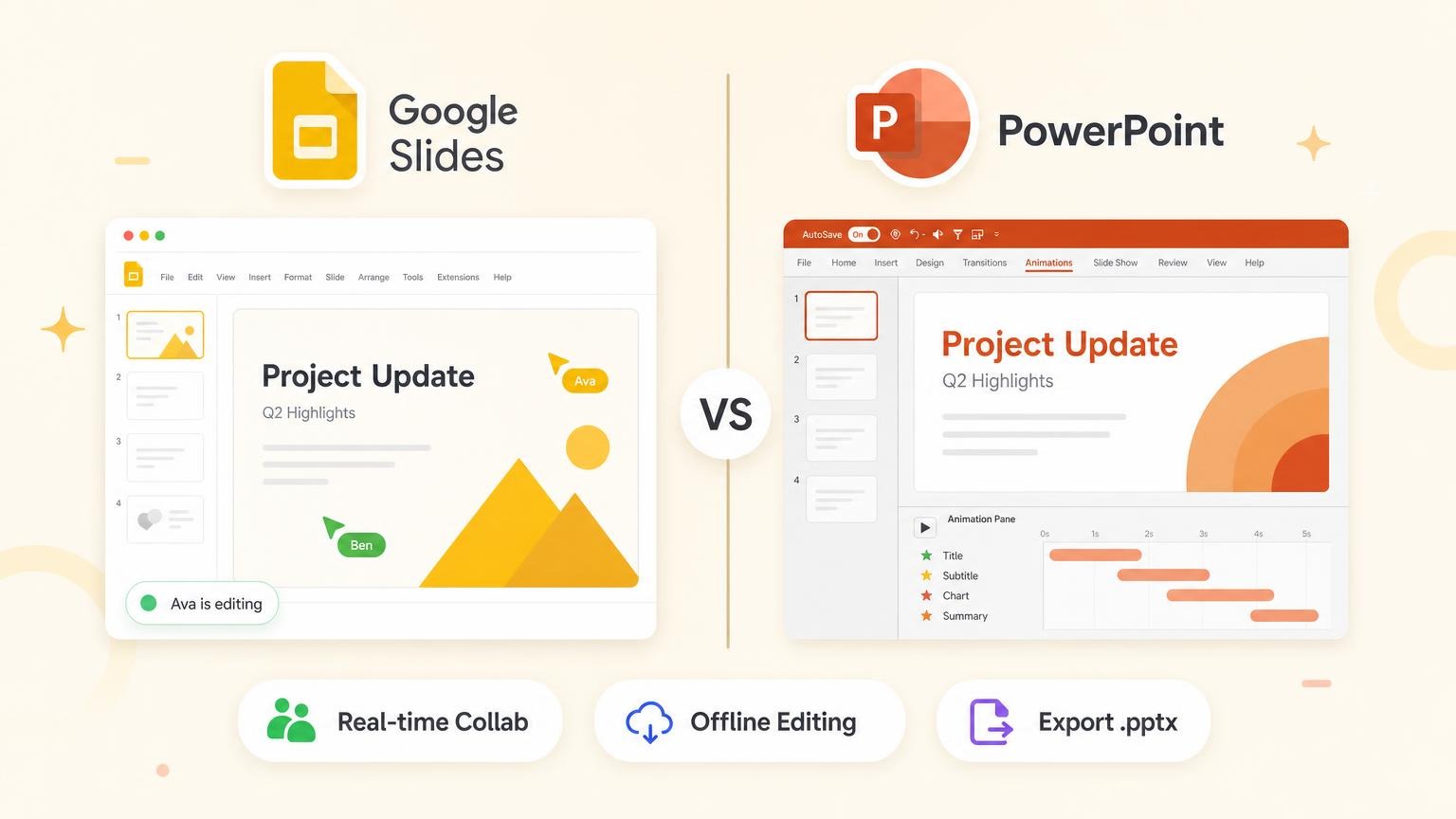
The two are not the same app. In the Google Slides vs PowerPoint choice, Slides wins on price and live co-editing. PowerPoint wins on offline work, animation, fonts, and charts.
Google PPT: how to open a PowerPoint file in Google Slides
"Google PPT" is not a separate product. It is Google Slides, the presentation app in Google Drive and Google Workspace.
Slides reads and writes PowerPoint files, so you do not need Microsoft Office to work on a .pptx.
Open a PowerPoint file in Google Slides
- Go to drive.google.com.
- Click New > File upload and choose the PowerPoint file.
- Double-click the uploaded file. If a preview opens first, click Open with Google Slides at the top.
- Edit the deck. Google saves your changes to the original PowerPoint file, so it stays a
.pptx.
Do you want a native Google Slides deck instead? Click File > Save as Google Slides. Google makes a copy in Slides format and keeps the .pptx.
Do you want only some of the slides? Open your Slides deck and click File > Import slides.
Google Slides converts these presentation types: .ppt, .pptx, .pptm, .pps, .ppsx, .ppsm, .pot, .potx, .potm, and .odp. A presentation that you convert to Google Slides can be up to 100 MB.
Download Google Slides as a PowerPoint file
- Open the deck in Google Slides.
- Click File > Download.
- Choose Microsoft PowerPoint (.pptx).
.pptx is the only PowerPoint format that Slides saves to. The same menu also has ODP, PDF, and plain text, plus JPEG, PNG, and SVG for the current slide. Open the file in PowerPoint and check the fonts and animations before you present.
Make a new presentation in Google
Go to slides.google.com. Under "Start a new presentation", click the blank deck with the plus sign. The address slides.google.com/create opens a new deck directly.
Your work saves to Google Drive as you type. There is no Save button.
If the slow part is the blank slides and not the file format, GenPPT writes and designs the deck from a prompt or a document. It exports a .pptx that opens in Google Slides and PowerPoint.
Is Google Slides the same as PowerPoint?
No. They do the same job in different ways.
Google Slides is a web app from Google. Your deck is a file in Google Drive, and each edit saves there. Several people can work in it at the same time.
PowerPoint is a Microsoft app. The full version is a desktop program for Windows and Mac that saves .pptx files to your computer or to OneDrive. A lighter version runs in the browser.
| Question | Google Slides | PowerPoint |
|---|---|---|
| Who makes it | Microsoft | |
| Where it runs | Browser, Android and iOS apps | Desktop app, browser, mobile apps |
| File type | Google Slides file in Drive | .pptx file |
| Cost to start | $0 with a Google account | $0 in the browser, paid on desktop |
| Works with the other | Opens and exports .pptx | Opens the .pptx that Slides exports |
Does a teacher or a client ask for "a PowerPoint"? Often they mean a slide deck.
Ask which file they need. If they need a .pptx, download one from Slides.
Google Slides vs PowerPoint at a glance
| Factor | Google Slides | Microsoft PowerPoint |
|---|---|---|
| Best for | Teams that co-edit, schools, Google Workspace companies | Offline work, motion-heavy decks, Microsoft 365 companies |
| Collaboration | Live co-editing in the browser, link sharing | Live co-authoring when the file is in OneDrive or SharePoint |
| Offline | Works after setup in Chrome or Edge | Desktop app works with no setup |
| Fonts | Fonts from Google's library | Any installed font, with font embedding |
| Animations | Object animations and slide transitions | Morph, motion paths, trigger animations |
| Charts | Charts linked from Google Sheets | Charts with data in Excel |
| AI in the editor | Gemini in Slides | Copilot in PowerPoint |
| Export | .pptx, PDF, JPEG | .pptx native, PDF, video (MP4) |
| Starting price | $0 with a Google account | $0 on the web, desktop from $9.99/month |
Prices are US prices, checked on the Google and Microsoft pricing pages on October 2, 2026. Regional prices differ.
Price: Google Slides vs PowerPoint
Google Slides costs $0 for personal use. PowerPoint costs $0 in the browser. The desktop app needs a Microsoft 365 plan or a one-time Office purchase.
| Plan | US price | What you get |
|---|---|---|
| Google account | $0 | Full Google Slides, 15 GB of storage |
| Google Workspace Business Starter | $7 per user/month | Slides with business email, 30 GB per user. No Gemini in Slides |
| Google Workspace Business Standard | $14 per user/month | Adds Gemini in Slides, 2 TB per user |
| PowerPoint for the web | $0 | Browser PowerPoint with a Microsoft account, 5 GB of OneDrive storage |
| Microsoft 365 Personal | $9.99/month or $99.99/year | Desktop PowerPoint with Copilot, 1 TB of storage |
| Microsoft 365 Family | $12.99/month or $129.99/year | Desktop apps for 1 to 6 people. Copilot for the plan owner only |
| Office Home 2024 | $179.99, paid once | Desktop PowerPoint 2024 on 1 PC or Mac. No subscription |
| Microsoft 365 Business Basic | $7 per user/month | Web and mobile PowerPoint only |
| Microsoft 365 Business Standard | $14 per user/month | Desktop PowerPoint for business |
Google Workspace prices are for a one-year commitment. Microsoft business prices are paid yearly.
On the day of the check, Google showed an introductory discount on its Workspace plans. Discounts change often, so the table shows the standard prices.
For a company, the list prices match: $7 and $14 per user per month. But the $7 Microsoft plan has no desktop PowerPoint.
For one person, the difference is clear. Slides is $0. Desktop PowerPoint is $99.99 per year, or $179.99 once with Office Home 2024.
Collaboration and sharing
Google Slides supports simultaneous editing. Click Share, add people, and make each one a Viewer, a Commenter, or an Editor. Or share a link.
People who open an "Anyone with the link" deck do not need a Google account. Comments attach to the text, image, or slide you select.
Google documents two limits. A Slides file can be edited on up to 100 open tabs or devices at one time. You can share one file with up to 600 individual email addresses.
To see old versions, click File > Version history > See version history. Click a timestamp, then Restore this version to go back.
PowerPoint co-authoring works when the presentation is saved to OneDrive or SharePoint in Microsoft 365. Click Share at the top right, enter email addresses, and choose can edit or can view. It works in the desktop, web, and mobile apps.
Google Slides is easier for outside collaborators. A link and a browser are enough.
PowerPoint sharing works well when your team already keeps files in OneDrive or SharePoint. A .pptx that you send as an email attachment has no live co-editing.

For teams outside both ecosystems, AI deck builders like GenPPT produce a .pptx you upload to whichever platform your client uses.
Offline access
PowerPoint desktop (Windows and Mac) works offline with no setup. Edit slides on a plane, save locally, and sync when you reconnect. Presenter View, embedded media, and custom fonts behave the same offline as online.
Google Slides works offline only after you set it up, and you must do the setup while you are online:
- Use Google Chrome or Microsoft Edge. Do not use a private window.
- Install and turn on the Google Docs Offline extension.
- Open Google Drive, click Settings > Settings, and turn on Offline.
- In Drive, right-click the deck and click Make available offline.
The browser version of PowerPoint also needs a connection. The offline advantage belongs to the desktop app.
If your presenter might lose Wi-Fi mid-meeting, use PowerPoint desktop. If you edit in a browser with stable internet, Google Slides is fine.
Fonts and typography
PowerPoint supports any font installed on your machine. It can also embed fonts in the file, so recipients see the same typeface without the font installed.
On Windows, click File > Options > Save and select Embed fonts in the file. PowerPoint for Microsoft 365 for Mac, PowerPoint 2021 for Mac, and PowerPoint 2024 for Mac can embed fonts too.
Not every font can be embedded. The font's license sets that. Microsoft recommends OpenType (.otf) or TrueType (.ttf) fonts.
Google Slides uses web fonts from Google's library. Open the font menu and click More fonts to add one.
Google's help pages describe no way to upload your own font file. If your brand typeface is not in the library, you cannot use it in Slides.
When a file moves between the apps, each app replaces the fonts it does not have. That substitution is often the first sign that something broke in translation.
| Scenario | Better pick |
|---|---|
| Strict brand font requirements | PowerPoint |
| Standard typography | Either |
| Sharing with external clients who may not have your fonts | Google Slides (web fonts render the same in each browser), or PowerPoint with embedded fonts |
| Exporting between platforms | Expect substitution. Use a common font such as Arial |
GenPPT bakes typography into full-slide visuals at export time, so the fonts look the same in PowerPoint and in Google Slides.
Formatting menus differ too. Transparency is one example: see how to change opacity in Google Slides.
Animations and transitions
PowerPoint has the deepest animation toolkit: Morph transitions between similar slides, motion paths, trigger sequences, and rehearsed timings tied to Presenter View. Sales demos, training modules, and conference keynotes often depend on these.
To use Morph, duplicate a slide, move an object on the copy, then click Transitions > Morph. You can create Morph transitions in PowerPoint for Microsoft 365, PowerPoint 2019, PowerPoint 2021, and PowerPoint for the web. PowerPoint 2016 can play them but cannot create them.

PowerPoint can also save a deck as a video. On Windows, click File > Export > Create a Video. The output is MP4 or WMV, up to 4K.
Google Slides covers the basics. Click Insert > Animation to animate an object, or Slide > Transition to set a slide transition. You set the speed and the start: on click, after previous, or with previous.
Google's animation help page lists no equivalent of Morph or motion paths. Business updates and classroom slides rarely need more than the basics.
If your deck relies on complex motion design, build in PowerPoint and stay there. If animations are decorative rather than structural, either tool works.
Charts and data
Charts are the part that people forget until a file breaks.
PowerPoint opens a worksheet when you insert a chart, and you type the data there. For large data sets, Microsoft recommends that you build the chart in Excel and paste it in. A pasted chart can stay linked to the Excel file, so it updates.
Google Slides takes charts from Google Sheets. Click Insert > Chart > From Sheets, pick the spreadsheet, and pick the chart.
The chart stays linked. When the sheet changes, click Update on the chart.
The links do not cross between the two apps. Google states that when you edit a PowerPoint file in Slides:
- Embedded charts and videos are converted to images.
- SmartArt is converted to Google Drawings.
- Macros are not supported.
If your deck has live charts, build it in the app where the data lives. Excel data goes with PowerPoint. Sheets data goes with Slides.
Presenting and design help
Both apps show your speaker notes on your own screen while the audience sees the slides.
In Google Slides, click the arrow next to Slideshow and choose Presenter view. During the slideshow, press a to open the audience tools and take questions. Slides can also show live captions of your speech, in English only.
PowerPoint has Presenter View in the desktop app, plus two helpers:
- Speaker Coach. Click Slide Show > Rehearse with Coach. It gives feedback on your pace, pitch, and filler words.
- Designer. On the Design tab, it suggests layouts for the content on a slide. Microsoft lists it as a feature for Microsoft 365 subscribers only.
If you present often, PowerPoint gives you more rehearsal help. If you take live questions from a large room, the audience tools in Slides are built in.
AI features: Gemini in Slides vs Copilot in PowerPoint
Both editors now have an AI assistant. The two assistants need a paid plan.
| Question | Gemini in Slides | Copilot in PowerPoint |
|---|---|---|
| What it does | Generates and edits slides, generates images, removes image backgrounds | Drafts a presentation from a prompt or from a file such as a Word document |
| Personal plan | Google AI Pro at $19.99/month, or AI Ultra | Microsoft 365 Personal at $9.99/month, Family, or Premium |
| Business plan | Workspace Business Standard at $14 per user/month, and higher plans | Business Standard with Copilot at $23.50 per user/month, or the Copilot Business add-on |
The Copilot Business add-on had a list price of $21 per user per month, paid yearly, and a promotional price of $18 on the day of the check.
Gemini and Copilot work inside the editor and write native slides that you can edit.
GenPPT is a different type of tool. It researches the topic, drafts an outline that you approve, and then generates fully designed slides. See Best AI PowerPoint Generators for a wider comparison.
Enterprise and IT requirements
Microsoft 365 is common in large companies that already run Windows and Office. The business plans use Microsoft Entra ID for sign-in and access management.
Business Premium ($22 per user per month, paid yearly) adds device management with Intune, Microsoft Defender for Business, and protection of sensitive data.
Google Workspace gives all plans security and management controls in the admin console. Vault, which retains, archives, and searches data, starts at Business Plus ($22 per user per month). Data loss prevention, context-aware access, and data regions are in the Enterprise plans.
| Requirement | Google Slides | PowerPoint |
|---|---|---|
| Sign-in and directory | Google Workspace admin console | Microsoft Entra ID |
| Data loss prevention | Workspace Enterprise plans | Sensitive data protection in Business Premium |
| AI inside the editor | Gemini in Slides | Copilot in PowerPoint |
| Works with no internet | Only after offline setup | Yes, in the desktop app |
| Outside guests | Link sharing, no Google account needed to view | Share from OneDrive or SharePoint |
Check with IT before standardizing on either. Procurement often decides this before individual contributors do.
Export and file compatibility
Both tools open .pptx, but layouts, fonts, and animations can break when a file goes back and forth.
Google Slides to PowerPoint: Click File > Download > Microsoft PowerPoint (.pptx). Simple decks keep their layouts. PowerPoint replaces fonts it does not have.
PowerPoint to Google Slides: Upload the .pptx to Google Drive and double-click it. Slides opens the file. Expect to fix slide masters, charts, and advanced animations by hand.
For a step-by-step on the upload path, see How to Convert PowerPoint to Google Slides.
Use this checklist before you send a converted file:
- Use a font that both apps have.
- Replace Morph and motion paths with simple transitions.
- Rebuild linked charts in the target app, or accept that they are images.
- Click through each slide in the target app.
- Send a PDF with it as a fallback.
PDF export works cleanly from both. Use it for read-only handouts, not for editing.
GenPPT export: GenPPT builds full-slide image decks and exports .pptx or PDF. Open the .pptx in PowerPoint for the final check, or upload it to Google Drive for Slides. See How to Create a PowerPoint with AI for the full workflow.
If your source material is a PDF report rather than an existing slide deck, start with How to Turn a PDF into a PowerPoint with AI.
When GenPPT fits: build here, export either way
GenPPT is not a third editor. It is the step before Slides or PowerPoint: it makes the designed first draft.
Use GenPPT when:
- You have a PDF, Word doc, or brief and need a presentation-ready deck, not a page copy
- You want to approve the outline and visual concept before slides render
- Your team standardizes on Slides or PowerPoint for delivery, but nobody wants to build 15 slides from scratch
- You need researched copy with export to
.pptxfor either platform
Workflow:
- Start in GenPPT with a prompt, a PDF, a Word document, a text file, images, or a link
- GenPPT researches the topic and drafts a slide-by-slide outline. Edit it, then approve it
- Pick a visual concept
- GenPPT generates the designed slides in about 2 to 3 minutes. Change single slides in chat
- Export
.pptxor PDF, then open the.pptxin PowerPoint or upload it to Google Drive for Slides
Know the limits. GenPPT slides export as designed images inside a .pptx file. The layout stays stable in both apps.
To change a slide, you regenerate it in GenPPT. You do not edit text boxes in PowerPoint.
GenPPT does not link charts to Excel. Check each number and claim before you present.
For native editable text inside either platform, use Copilot in PowerPoint or Gemini in Slides. Compare options in Best AI PowerPoint Generators.
Price. The trial costs $1 for 3 days of full access, and a card is required. After that, GenPPT is $25/month or $99/year.
Paid plans include 20 decks per month and watermark-free PowerPoint and PDF export. See pricing.
Pick a topic to start a deck:
- Quarterly business review for the leadership teamCreate
- Sales pitch for a new software clientCreate
- Project kickoff deck for a website redesignCreate
- Class presentation on renewable energyCreate
- Training deck for new customer support hiresCreate
Google Slides vs PowerPoint decision table
| Your situation | Choose |
|---|---|
You must open a .pptx and have no Microsoft Office | Google Slides. Upload the file to Drive |
| One person, no budget | Google Slides, or PowerPoint for the web |
| Team that co-edits daily | Google Slides |
| Presenting offline or on conference room PC with no Wi-Fi | PowerPoint desktop |
| Company runs Microsoft 365 and SharePoint | PowerPoint |
| Company runs Google Workspace | Google Slides |
| Need Morph, motion paths, or trigger animations | PowerPoint |
| Sharing a view-only link with external guests | Google Slides |
| Strict custom corporate fonts must embed | PowerPoint |
| Charts that update from a spreadsheet | PowerPoint with Excel, or Google Slides with Sheets. Do not convert between them |
Building from a PDF or prompt, then handing off .pptx | GenPPT, then export to either |
Already have a .pptx and need Google editing | Upload to Drive. See convert guide |
| AI generation inside your existing editor | Copilot (PowerPoint) or Gemini (Slides) |
| Fast designed deck from document with outline control | GenPPT |
Frequently asked questions
Is there a Google version of PowerPoint?
Yes. It is Google Slides, at slides.google.com. It is part of Google Drive and Google Workspace, costs $0 with a Google account, and has Android and iOS apps. It opens and exports .pptx files.
Does Google Slides count as a PowerPoint?
A Google Slides deck is a slide presentation, but it is not a PowerPoint file. If someone asks for "a PowerPoint", ask if they need the .pptx file or only slides to look at. For a .pptx, click File > Download > Microsoft PowerPoint (.pptx). For viewing, a share link is enough.
What are the disadvantages of Google Slides?
Offline work needs setup in Chrome or Edge before you lose the connection. Slides has no Morph transition or motion paths, and you can only use fonts from Google's library. When you edit a PowerPoint file in Slides, embedded charts and videos become images. Gemini in Slides needs a paid plan.
Is Google Slides or PowerPoint better in 2026?
No single winner. Google Slides wins on price, live collaboration, and link sharing. PowerPoint wins on offline editing, animation depth, font control, charts, and Microsoft 365 integration. Pick based on where your team already works.
Can I use both Google Slides and PowerPoint on the same deck?
You can convert between them through .pptx, but expect layout shifts, especially with custom fonts, complex animations, and charts. Pick one primary editor per deck and convert only when necessary.
Is Google Slides really free?
Yes for personal use with a Google account, which includes 15 GB of storage. Google Workspace business plans start at $7 per user per month with a one-year commitment (checked October 2026). Gemini in Slides needs Business Standard or a higher plan, or a Google AI Pro plan on a personal account.
Does PowerPoint work on Mac?
Yes. Microsoft 365 plans with desktop apps, such as Personal and Business Standard, include PowerPoint for Mac. The Mac app can create Morph transitions and embed fonts. PowerPoint for the web also runs in a Mac browser at $0.
Which is better for students?
Google Slides costs $0, is easy to share with classmates, and needs no installation. PowerPoint fits better when the assignment requires specific animations or Excel-linked charts, or when the school provides Microsoft 365.
Can I convert PowerPoint to Google Slides without losing formatting?
Simple decks convert cleanly. Decks with custom fonts, Morph transitions, embedded charts, and embedded video need manual cleanup after upload. See our PowerPoint to Google Slides conversion guide.
Which exports better to PDF?
Both produce clean PDF exports for static handouts. PowerPoint offers more control over slide ranges, hidden slides, and handout layouts. In Google Slides, click File > Download and choose the PDF option.
Where does GenPPT fit if I already use Slides or PowerPoint?
GenPPT builds the first draft from a prompt, a PDF, or a link, then exports a .pptx that you open in either tool. It saves time on the first design and copy. You still present from Slides or PowerPoint. Read Best AI PowerPoint Generators for a full tool comparison.
Pick your editor, then build
Choose Google Slides when cost and collaboration matter most. Choose PowerPoint when offline reliability, animations, charts, or Microsoft 365 rules drive your decision.
You do not have to choose forever. Slides opens .pptx, and it exports .pptx again.
If the hard part is the step from a blank page to a designed deck, start in GenPPT and export .pptx for the platform your audience expects.