The best Prezi alternatives are GenPPT for AI-made slide decks that export to PowerPoint, Google Slides and Canva when you need a free plan, PowerPoint when you want a zoom effect in a normal slide file, and Pitches.ai for investor decks.
Prezi is the zooming-canvas presentation tool. Its free Basic plan stops at 5 projects that anyone can see, and its paid plans cost $7 to $29 per month, billed annually. People look for an alternative for three main reasons: the motion, the billing, or the need for a standard slide file.
GenPPT and Pitches.ai are our own products. We rank them first for the jobs they do well, and we list their limits below.
What is Prezi?
Prezi is a browser-based presentation platform built around one large canvas. You do not move from slide to slide. The view pans and zooms between topics on the canvas.
Prezi's About page reports more than 160 million users and more than 460 million presentations. Those figures are self-reported.
The Prezi pricing page and plans guide listed these products on October 2, 2026:
| Product | What it does |
|---|---|
| Prezi Present | Zooming presentations. You start from a template, from PowerPoint slides or from Prezi AI. |
| Prezi Video | Records video presentations in an online editor or a desktop app. |
| Infographics | Designs, infographics and data visualizations. It was named Prezi Design before. |
| Prezi AI | Generates a presentation from a prompt or an imported PDF or PowerPoint file. It also creates images and rewrites text. |
For a longer look at the product, read our Prezi review.
How Prezi differs from a slide deck
- Canvas, not slides. All content sits on one surface. Frames and topics mark the places where the view stops.
- Zoom, not next. The view zooms in for detail and zooms out for the overview.
- Any order. You can jump to the topic that your audience asks about.
- Exports are static. Prezi can download a presentation as a PDF or as PowerPoint slides, and each frame becomes a page or a slide. The help article on the PowerPoint download needs a Prezi login, so we could not read it in full. Search summaries of it report that zoom effects, animations and videos become still images. We did not verify that.
Prezi pricing
Prezi has a free Basic plan, three paid plans for individuals and a Teams plan. These prices are from the Prezi pricing page on October 2, 2026, in US dollars. Prices can differ by country.
| Plan | Price, billed annually | Prezi AI | What it adds |
|---|---|---|---|
| Basic | Free | 500 credits | Up to 5 projects that anyone can see |
| Standard | $7/month | 500 credits | Privacy control, unlimited projects, PowerPoint converter |
| Plus | $19/month | Unlimited | PDF export, presenter view, recording, voice-over, portable presentations |
| Premium | $29/month | Unlimited | Presentation analytics, priority support |
| Teams | $39/user/month | Unlimited | Collaboration tools, comments, brand kit, single sign-on |
The page showed annual billing only. Twelve months at the listed rate is $84 for Standard, $228 for Plus and $348 for Premium.
Students and teachers pay less. EDU Plus is $4/month, EDU Pro is $8/month and EDU Teams is $19/user/month, all billed annually. You need a valid school email address.
What you get on the free Basic plan
- 5 projects. The pricing page limits Basic to 5 visual projects.
- Public only. Anyone can see them. Privacy control starts at Standard.
- 500 Prezi AI credits. The page does not say if the credits refill.
- No PDF export, presenter view or offline file. Those start at Plus.
Basic is good for a test. It is not for client work or internal data.
Trial, renewal and refunds
Paid plans start with a 14-day free trial.
Prezi's Terms of Service say that the fee for your plan is charged automatically on the date the trial ends. The plan then renews automatically. If you cancel, the account stays active until the next renewal date.
The same terms say that subscription payments are non-refundable. A Prezi support article on refunds is reported to allow one refund request within 14 days of purchase when the subscription was not used. We could not open that article without a login, so read it before you buy.
If you start a trial, set a reminder for day 12 and cancel in your account settings if you do not want the yearly charge.
Prezi review: strengths and limits
This section uses public sources: Prezi's pricing page, plans guide, terms and help center, and one university accessibility guide. It is not a scored hands-on test.
Strengths
- The canvas shows structure. You zoom out to show the whole picture and zoom in for one part. That helps with maps, timelines, systems and processes.
- No fixed order. You can go to any topic without a fixed slide sequence.
- More than slides. One account covers presentations, Prezi Video and Infographics.
- AI on every plan. Basic and Standard have 500 Prezi AI credits. Plus and higher plans have unlimited use.
- Low entry price. Standard is $7/month, and EDU Plus is $4/month with a school email.
Limits
- Motion can cause discomfort. A CUNY Office of Library Services accessibility guide says Prezi presentations "have been reported to cause dizziness, headaches, and motion sickness."
- You must design for calm movement. Shallow zooms, no rotation and frames of similar size make the motion softer. That is design work that a slide deck does not need.
- The free plan is public. It also stops at 5 projects.
- Annual billing. The pricing page showed no monthly option, and the terms say payments are non-refundable.
- Key presenter features start at Plus. PDF export, presenter view, recording and voice-over are not on Standard.
- PowerPoint files are static. The zoom path does not survive the export.
- Team features cost more. Collaboration tools and comments are on the Teams plan at $39/user/month.
- Accessibility needs a check. The same CUNY guide says Prezi is not ADA/508 compliant. Prezi's own accessibility page says it uses WCAG 2.1 as a standard and publishes conformance reports. Check the current status if your organization has accessibility rules.
Best Prezi alternatives at a glance
| Tool | Best for | Starting price | Output |
|---|---|---|---|
| 1. GenPPT | Standard AI decks from a prompt or document | $1 trial (3 days), then $25/mo or $99/yr | .pptx and PDF |
| 2. Pitches.ai | Investor pitch decks | Free to generate; export $49/deck or $249/yr | .pptx and PDF |
| 3. Canva | Templates and design assets | Free plan; Pro price varies by country | Web, PDF, .pptx |
| 4. Gamma | Web-native decks | Free with 400 credits; Plus $12/mo, or $9/mo annual | Web, PDF, .pptx |
| 5. PowerPoint + Copilot | Native PowerPoint with a zoom feature | Copilot add-on from $18/user/mo, paid yearly | .pptx |
| 6. Google Slides + Gemini | Live collaboration at no cost | Personal Google account; Gemini from $14/user/mo | Google Slides, .pptx |
| 7. Beautiful.ai | Smart layouts | $14.50/mo annual, or $45 monthly | Web, .pptx |
| 8. Pitch | Team decks | Free plan; Plus €10/mo paid yearly | Web, PDF; .pptx on Plus |
| 9. Visme | Reports and infographics | Free plan; Starter $12.25/mo billed yearly | Web, PDF; .pptx on Pro |
All prices were checked on each vendor's own site on October 2, 2026. The one exception is Canva: its page showed local currency in our check, so we give no US dollar price.
For AI-first comparisons, read Best AI Presentation Makers.
Why teams leave Prezi
The common reasons are simple: motion fatigue, export friction, collaboration needs, and a preference for standard slides.
Prezi is good when the zoom path is part of the performance. It is weaker when the deck has to move through PowerPoint, Google Slides, a data room, or a client review process.
Here is each reason in more detail:
- Motion. Some viewers feel unwell when the view pans and zooms fast. A calm Prezi takes design work.
- The file. Your manager, client or investor wants a .pptx or a PDF that looks like the talk. A Prezi export has one static page or slide for each frame, without the zoom path.
- The bill. Paid plans are billed for a year. The free plan makes every project public.
- Teamwork. Comments and collaboration tools are on the Teams plan. Google Slides gives you both with a personal account.
- The AI flow. Prezi AI builds a Prezi. If the target is a linear deck from a report or a prompt, an AI slide tool gets you there in fewer steps.
When Prezi still makes sense
Prezi is the right tool for some talks. Stay with it when:
- The structure is the message. You show how parts relate to a whole: a map, a timeline, a system or a process.
- You present live. Nobody needs an editable file after the talk.
- The talk is a conversation. You let the audience choose the next topic, for example in a sales meeting.
- You record with Prezi Video. It is a product of its own, and this article does not compare video tools.
- You are a student or a teacher. EDU Plus at $4/month costs less than the paid plans in this list.
- You already have a library of Prezis. A rebuild costs more time than it saves.
Best Prezi alternative by use case
| Your job | Best pick | Why |
|---|---|---|
| Turn a topic or a report into a designed slide deck | GenPPT | You approve the outline, pick a visual concept, and export .pptx or PDF |
| Raise a seed round | Pitches.ai | 12 investor slides from your company URL and files |
| Keep a zoom effect in a normal slide file | PowerPoint | Summary, section and slide zoom are built in |
| Pay nothing and work with other people | Google Slides | It works with a personal Google account |
| Design slides from templates | Canva | 1.6+ million templates on the Free plan |
| Share a deck as a link | Gamma | Web-native format, and a free plan with 400 credits |
| Keep slides aligned without manual work | Beautiful.ai | Over 300 Smart Slide layouts |
| Co-edit decks as a team | Pitch | Free plan, with team plans above it |
| Make reports, charts and infographics | Visme | One tool for many types of visual content |
| Give a live talk on a zooming canvas | Prezi | The canvas is the product |
1. GenPPT: best for standard AI decks with export
GenPPT creates a standard, linear slide deck. You start from a prompt, a PDF, a Word document, a text file, images or a link.
The flow has four steps:
- Start. Type a topic or add your source material. GenPPT researches the topic.
- Approve the outline. No slides are made before you accept it.
- Pick a visual concept. GenPPT then generates full-slide designed slides in about 2 to 3 minutes.
- Edit and export. You change slides in chat, then export a .pptx or a PDF. The .pptx opens in PowerPoint, Google Slides and Keynote.
| Point | GenPPT | Prezi |
|---|---|---|
| Format | Linear slides with full-slide designs | Zooming canvas |
| Start | Prompt, PDF, Word file, text, images or link | Template, PowerPoint slides or Prezi AI |
| First step | $1 trial, 3 days, card required | Free Basic plan, 5 public projects |
| Paid price | $25/month or $99/year | $7 to $29/month, billed annually |
| Export | .pptx and PDF, no watermark on paid plans | PDF from Plus; static .pptx |
Pricing: $1 three-day trial with full access (card required), then $25/month or $99/year. No free plan. Paid plans include 20 decks per month.
Limits: GenPPT does not make a zooming canvas. Slides are image-native designs, so you change them in chat, and charts do not link to Excel. Check every number and claim yourself before you present.
Choose GenPPT when: you need a real slide deck, not a zoom canvas.
2. Pitches.ai: best for investor pitch decks
Pitches.ai turns a company URL, memo, PDF, spreadsheet, or famous deck structure into a 12-slide investor story. You edit the slides in chat.
A Prezi can make a pitch look different in the room. But a pitch deck is also forwarded and read without you. A linear PDF or .pptx does that job.
Pricing: generation and chat are free. PPTX/PDF export costs $49 per deck or $249/year.
Choose Pitches.ai when: the Prezi you wanted is actually a pitch deck for investors.
For the slide order that investors expect, read pitch deck structure.
3. Canva: best free-friendly design suite
Canva is a design suite with a presentation mode. You start from a template and change text, images and colors by hand, with AI design tools as an option.
Canva's pricing page lists 1.6+ million templates on the Free plan and 3.6+ million on Pro.
Pricing: the Free plan costs nothing. Canva Pro and Canva Business are paid plans with a free trial, and yearly billing saves 16%. The page showed local currency in our check, so the US dollar price was not verified.
Tradeoff: Canva can download a presentation as a .pptx file. Its help center says the file can look different in PowerPoint, and that animations and videos may not play. Open the file and check it before you present.
4. Gamma: best for fast web-native decks
Gamma makes presentations, documents, websites and social posts in a web-native format. It is closer to a web doc than a classic slide deck, and you share it as a link.
Pricing: the free plan gives 400 credits at sign-up and up to 10 slides per prompt. Plus is $12/seat/month on monthly billing or $9/seat/month billed annually. Pro is $25 or $18.
Good to know: Gamma lists import from PDF and PPTX, and export to PDF, PPTX, PNG and Google Slides, on its free plan. Removing Gamma branding starts at Plus.
Tradeoff: Gamma is built for the browser first. Open the exported .pptx in PowerPoint and check the layout.
Our Gamma alternative page compares it with GenPPT.
5. PowerPoint + Copilot: best for Microsoft 365 teams
PowerPoint is the safest compatibility choice. Copilot adds AI drafting inside the app.
PowerPoint also has the closest thing to Prezi in a standard file: the Zoom feature. A summary zoom is a landing slide that shows your sections, and you jump to them in any order. See the steps below.
Pricing: the Microsoft 365 Copilot Business add-on starts at $18/user/month, paid yearly. That is a discount from $21 that Microsoft lists until December 31, 2026, for the first year only. You need an eligible Microsoft 365 business plan first. Microsoft 365 Business Standard with Copilot is $23.50/user/month, paid yearly.
Tradeoff: you design the slides yourself, or you start from a company template. Copilot works inside that structure.
6. Google Slides + Gemini: best for Workspace collaboration
Google Slides is strong for free collaboration. It works with a personal Google account, and several people can edit and comment at the same time.
Gemini adds AI help on supported Workspace plans. Google says it can generate slides from a prompt and from your Drive content.
Pricing: Google Workspace Business Standard was listed at $14/user/month on the flexible plan. Business Starter is $7/user/month, but Gemini in Slides is not on Starter.
Tradeoff: the slides are linear, and the design is up to you.
More detail: Google Slides vs PowerPoint.
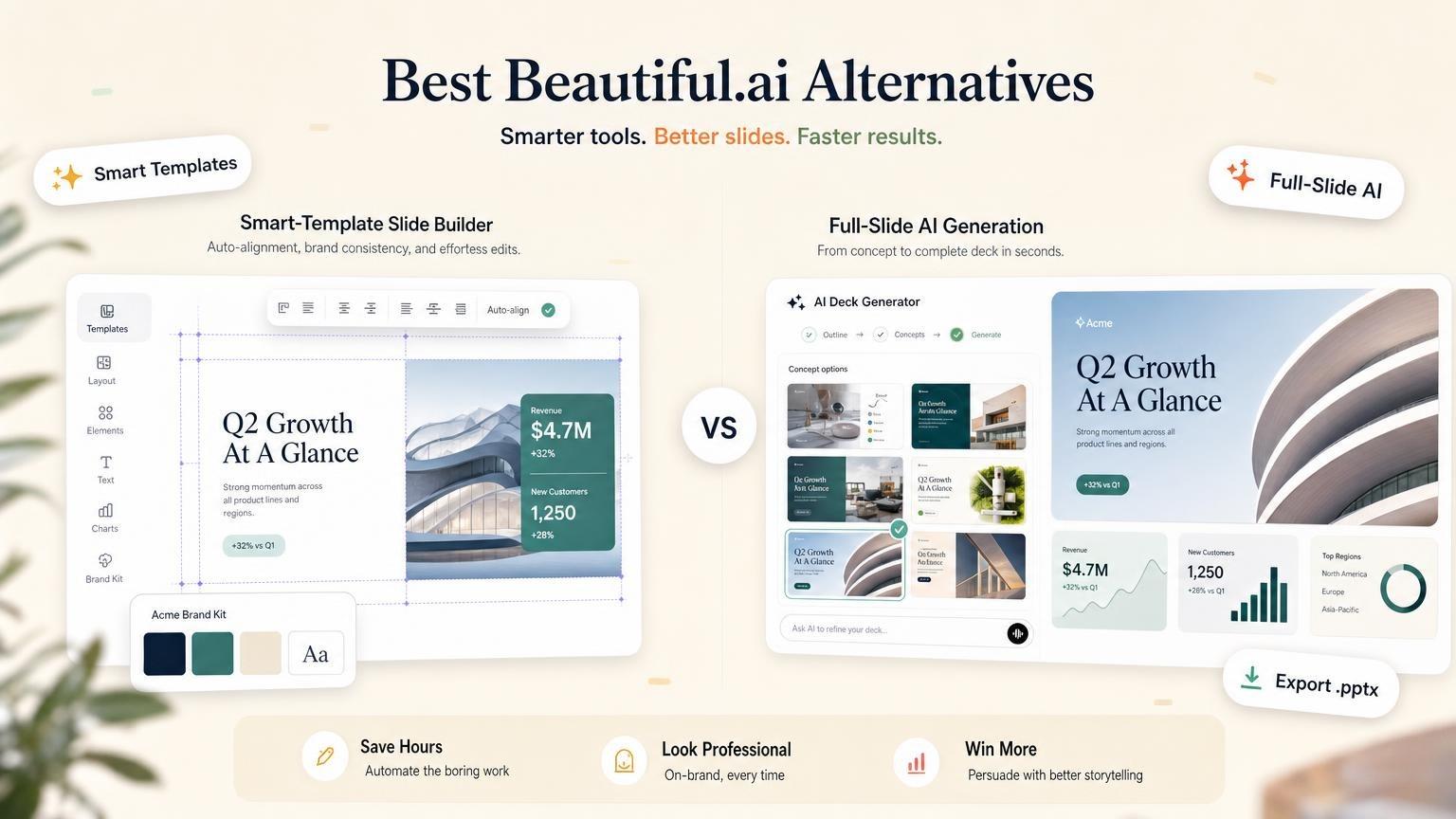
7. Beautiful.ai: best for smart templates
Beautiful.ai keeps slides aligned as you edit. Its pricing page lists over 300 Smart Slide layouts, unlimited AI content generation, and PowerPoint import and export on the Pro plan.
Pricing: $14.50/month annual or $45 monthly. Team is $40/user/month annual or $50 monthly.
Good to know: there is no free plan. The 14-day Pro trial requires a card.
Tradeoff: the layout rules that keep slides tidy also limit free placement.
See more options in Best Beautiful.ai Alternatives.
8. Pitch: best for team decks and analytics
Pitch is for co-editing, sharing, and tracking decks. Paid team plans add teamspaces, shared pitch rooms and advanced sharing links.
Pricing: free plan is €0. Plus is €10/month when paid yearly. Free has branded PDF and no PPTX. The page we checked listed prices in euros.
Good to know: the free plan has 1 seat, unlimited presentations and 100 AI credits that do not refill. Plus has 500 AI credits per month, and PDF and PowerPoint export without Pitch branding.
9. Visme: best for data visualization and infographics
Visme fits reports, infographics, charts, and visual documents. Presentations are one of many content types.
Pricing: the Basic plan is $0. Starter is $12.25/month, billed $147 per year. Pro is $24.75/month, billed $297 per year. Verify current rates on Visme before buying.
Tradeoff: Visme lists PPTX, HTML5, video and GIF downloads from the Pro plan. Starter downloads are JPG, PNG and PDF.
Free Prezi alternatives
If you look for a free Prezi alternative, start here. Each row was checked on the vendor's own site on October 2, 2026.
| Tool | Free plan | Main limit |
|---|---|---|
| Google Slides | Works with a personal Google account | Linear slides, and you design them yourself |
| Canva | Free plan with 1.6+ million templates | Premium assets and tools need a paid plan |
| Gamma | 400 credits at sign-up, with PDF and PPTX export | Gamma branding stays until Plus |
| Pitch | €0, 1 seat, unlimited presentations | Branded PDF, no PowerPoint export |
| Visme | Basic plan with unlimited projects | Limited templates and assets; file downloads are listed from Starter |
| Genially | €0, with 500 AI credits per year | PDF, JPG and video downloads and private sharing start at Pro |
| Focusky | Free plan for the desktop app | Focusky watermark on published presentations |
| Sozi | Free and open source | You draw the content as an SVG file and set the zoom path by hand |
| Prezi Basic | Free | 5 projects, all public |
GenPPT is not on this list. It has no free plan and starts with a $1 trial for 3 days.
Pitches.ai lets you generate and edit an investor deck at no cost. You pay when you export.
Sites like Prezi: tools that keep the zoom effect
Most tools in this article are slide-based. If you want the motion and not Prezi itself, you have four options.
1. PowerPoint Zoom. Microsoft's support site describes three types:
- Summary zoom: a landing slide that shows the parts of your talk. You go to them in any order.
- Section zoom: a link to a section that is already in your presentation.
- Slide zoom: a jump to a single slide, for short talks.
To make one, open your deck in the PowerPoint desktop app and go to Insert, then Zoom. Select Summary Zoom, select the slides that start each section, and select Insert.
Microsoft says you can create zooms in PowerPoint for Microsoft 365 and in PowerPoint 2019 and later. PowerPoint 2016, PowerPoint for the web and the mobile apps only play them.
2. Genially. Genially makes interactive, animated content: presentations, games and quizzes. Its free plan lists all interactions, animations and effects. Paid plans start at €6/month, billed annually.
3. Focusky. Focusky is a desktop app for non-linear presentations with zoom and pan. Its pricing page lists a free plan that puts a Focusky watermark on published presentations. Paid plans start at $9.90/month or $99/year.
4. Sozi. Sozi is a free, open-source presentation tool for SVG documents. You draw everything in one SVG file, for example with Inkscape, and then set the frames. It fits technical users.
One more option: stay in Prezi and reduce the motion. Keep zooms shallow, do not rotate the view, and put frames side by side.
How to move from Prezi to a standard slide deck
- Save what you have. Prezi's help center describes a Download PPTX option in the dashboard menu and under Share. PDF export needs the Plus plan.
- Write the path as an outline. One line for each topic or frame, in the order that you present them.
- Decide if you need motion. If you do, use a summary zoom in PowerPoint. If you do not, make a linear deck.
- Rebuild with a brief. Copy the template below into your slide tool.
- Check the result. Compare three numbers on the slides with your source. Open the export in PowerPoint and look for moved text.
- Cancel before renewal. Prezi's terms say the account stays active until the next renewal date.
Create a 10-slide deck on: [topic of your Prezi]
Audience: [who will see it]
Goal: [what they must decide or do]
Structure: overview first, then one section for each topic: [topic 1], [topic 2], [topic 3]
Must include: [3 key facts or numbers]
Do not add facts that I did not give you.No topic at hand? Start a test deck from one of these:
- Product launch plan for the sales teamCreate
- Conference talk on remote team cultureCreate
- History lesson on the causes of World War ICreate
- Quarterly business review for the leadership teamCreate
FAQs
What is the best Prezi alternative?
GenPPT is the best Prezi alternative for standard slide decks with AI generation and export. Pitches.ai is best if the deck is for fundraising. Google Slides is the best free pick, and PowerPoint is the pick if you want to keep a zoom effect. GenPPT and Pitches.ai are our own products.
Is Prezi free?
Prezi has a free Basic plan. It lets you make up to 5 projects, and anyone can see them. It has 500 Prezi AI credits, and it has no privacy control, PDF export or presenter view. Paid plans have a 14-day free trial.
How much does Prezi cost?
Standard costs $7/month, Plus costs $19/month and Premium costs $29/month. Teams costs $39/user/month. The pricing page showed annual billing only on October 2, 2026, so you pay $84, $228 or $348 for the year. EDU plans start at $4/month with a school email address.
Is there a free alternative to Prezi?
Yes. Google Slides works with a personal Google account. Canva, Gamma, Pitch, Visme, Genially and Focusky have free plans with limits, and Sozi is free and open source. See the table of free Prezi alternatives for the limit of each one.
Which Prezi alternative exports PowerPoint?
GenPPT, Pitches.ai, Canva, Gamma, PowerPoint, Google Slides, Beautiful.ai, Pitch, and Visme can all produce or export PowerPoint in some form. Export fidelity varies. Pitch lists PowerPoint export from its Plus plan, and Visme lists it from its Pro plan. Open each file in PowerPoint before you present.
Does PowerPoint have a zoom feature like Prezi?
Yes. PowerPoint has summary zoom, section zoom and slide zoom. A summary zoom gives you one overview slide, and you jump to each section in any order. You create zooms in PowerPoint for Microsoft 365 and in PowerPoint 2019 and later.
Should I keep using Prezi?
Keep Prezi when the zoomable canvas is the point. Switch when the final deliverable must be a standard .pptx, PDF, or shared slide deck.
Try it with your own topic
Type the topic of your next talk, approve the outline, and see the designed slides a few minutes later. The $1 trial runs for 3 days and requires a card.