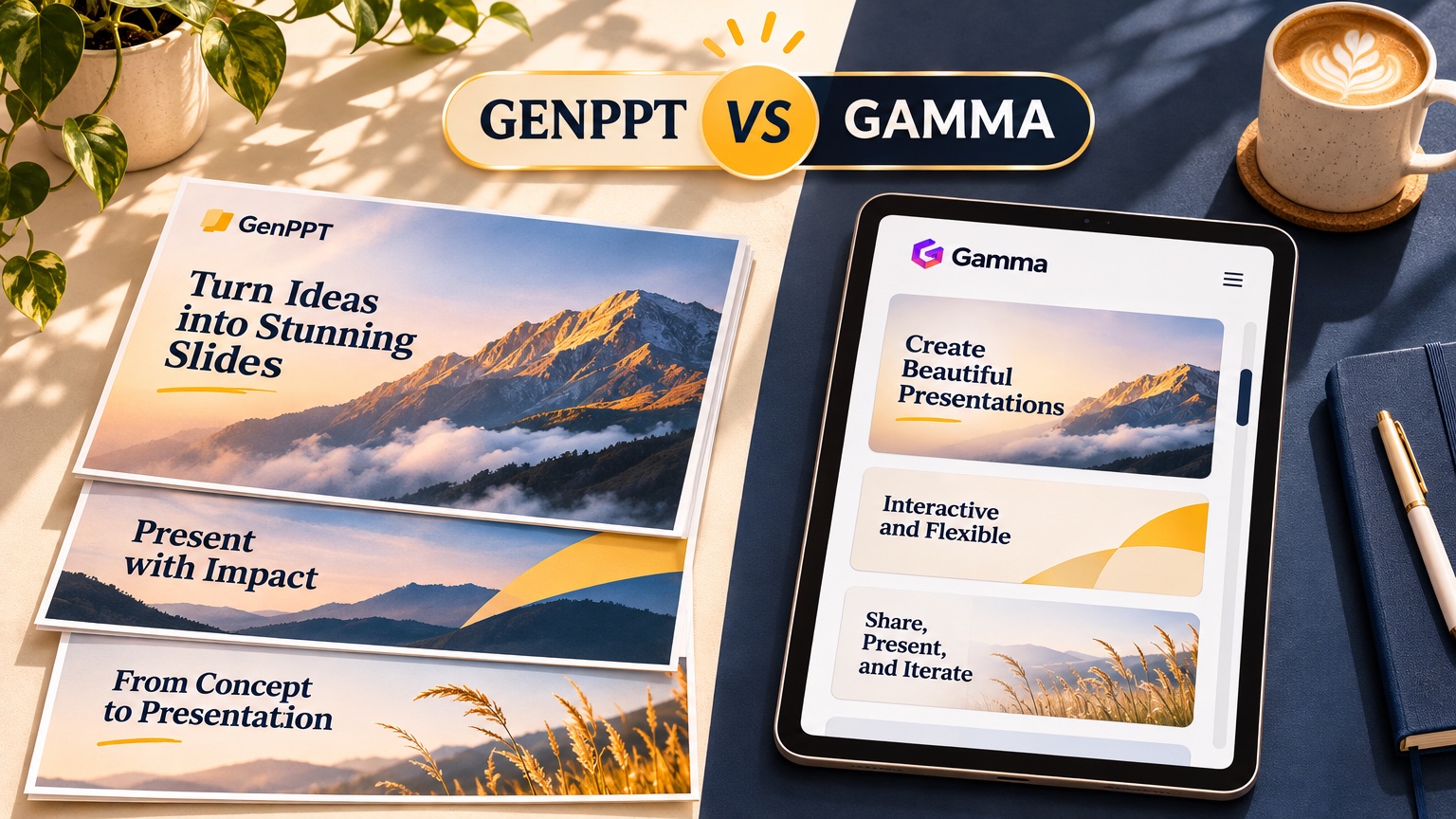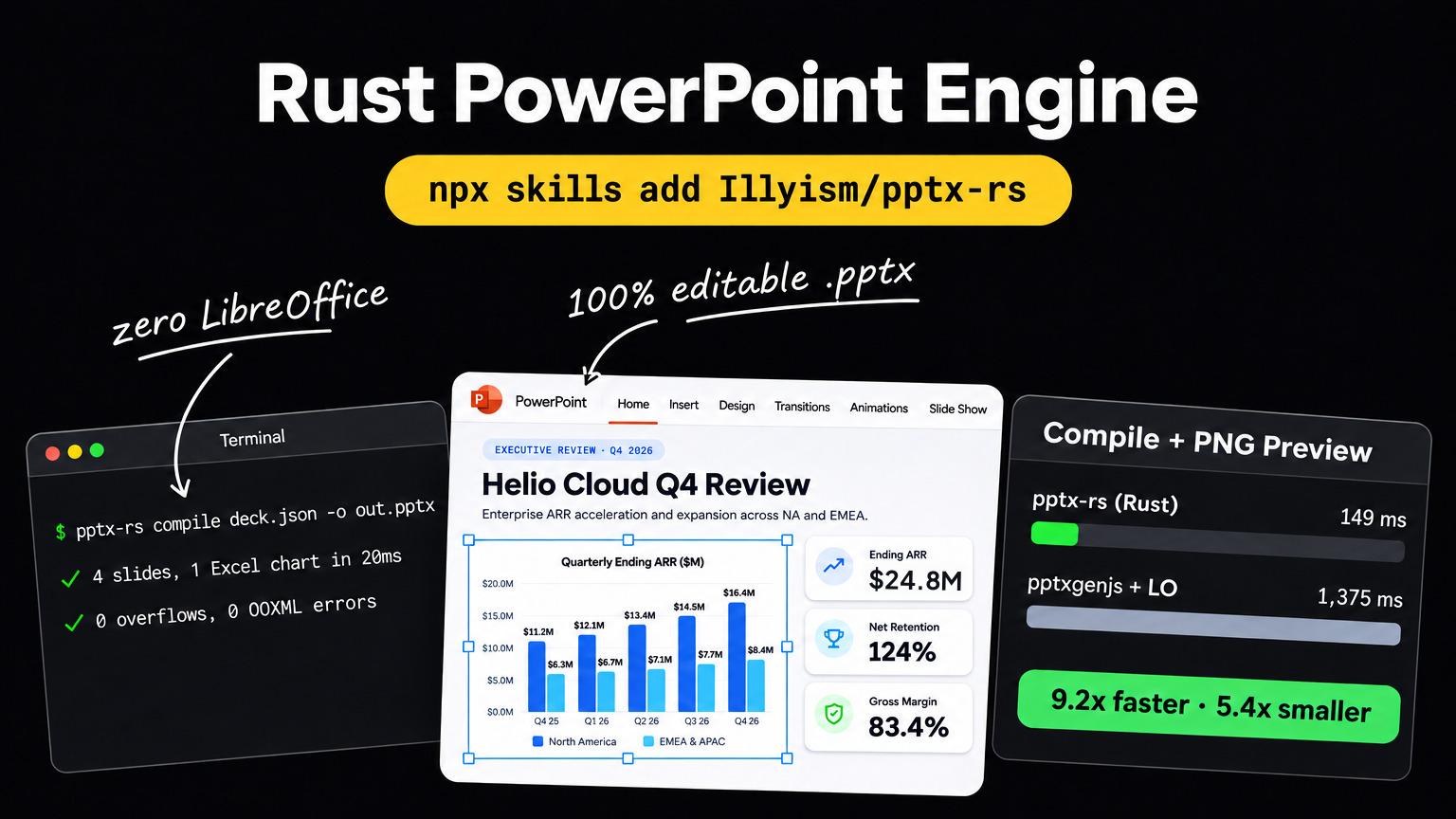

No. Each slide in a GenPPT .pptx export is one full-bleed rendered image, so you can't retype its words in PowerPoint. You edit words and charts in GenPPT before export, or rebuild slides as editable PowerPoint with our open-source pptx-rs engine (2 GenPPT slides compiled in 20 ms, 0 validator errors).
We built GenPPT's AI PowerPoint generator this way on purpose, and it does not suit everyone. Teams locked to a company Slide Master should buy Plus AI or Microsoft Copilot instead.
Can you edit GenPPT text in PowerPoint after export?
Not the text GenPPT rendered. The exported file allows this:
| In PowerPoint, after export | Possible? |
|---|---|
| Present, rehearse, and use presenter view | Yes |
| Reorder, hide, or delete slides | Yes |
| Add your own native slides (an appendix, a linked Excel chart) | Yes |
| Add a new text box or shape on top of a GenPPT slide | Yes |
| Add speaker notes | Yes |
| Retype a headline or a number inside a GenPPT slide | No |
| Open a GenPPT chart's data in Excel | No |
| Switch the deck to your company theme or Slide Master | No |
| Find a word with search, spell check, or a screen reader | No, the words are pixels |
The last row costs you something. PowerPoint's search, spell check, and screen readers can't read words that are part of a picture. If accessibility or text search is a hard requirement, use the pptx-rs hybrid route or a native text-box tool.
Why does GenPPT render full-bleed slides?
Native PowerPoint text boxes fail in three ways once a deck leaves the machine it was built on:
- Font substitution. If the viewer's computer lacks the font, PowerPoint swaps in another one with different widths. Lines rewrap and titles grow a third line.
- Text-box overflow. AI tools that write PowerPoint XML usually don't measure text. Our pptx-rs engineering post explains why:
pptxgenjsandpython-pptxwrite XML without measuring text, so they can't tell when a headline overflows its box. - Column and layout shifts. Multi-column layouts, callouts, and chart labels drift when either of the first two happens, and the slide that looked designed now looks broken.
A rendered image has none of these problems. The typography, illustration, chart, and spacing are fixed at render time, so the slide you approved is the slide your audience sees. It also lets a GenPPT deck carry custom illustration, 3D charts, and editorial type that a template text box can't hold.
We tested the other path too. When we built pptx-rs, we fed real customer prompts to a single-shot LLM that placed editable text boxes by coordinates. The output was valid, editable, and typo-free, and it looked plainer than GenPPT's visual slides: no custom illustrations, and template cards that all looked alike. That comparison is why GenPPT stayed visual-first. Judge the output yourself in the public GenPPT deck gallery, no login needed.
Full-bleed slides vs editable text boxes compared
| GenPPT full-bleed slides | Native editable text boxes (Plus AI, Copilot, pptx-rs) | |
|---|---|---|
| Looks the same on every computer | Yes, fixed at render | Depends on installed fonts |
| Text overflow risk | None after render | Real, unless the tool measures text |
| Custom illustration and art direction | Strong | Limited to theme and stock assets |
| Edit words after export | No: edit in GenPPT before export | Yes, in PowerPoint |
| Chart data linked to Excel | No | Yes (native charts) |
| Company Slide Master | No | Yes |
| Search, spell check, screen readers | No | Yes |
| Where you revise | GenPPT outline, chat editor, or MCP | PowerPoint or Google Slides |
| Export formats | .pptx, PDF, Images (.zip) | .pptx or Google Slides |
Neither wins every case. Full-bleed wins when the deck is presented as approved: leadership reviews, client pitches, conference talks, social carousels. Native text boxes win when someone downstream will keep editing.
How to change words and charts before you export
GenPPT gives you three places to edit before export:
- Outline. GenPPT extracts every claim and number from your prompt or uploaded file into a slide-by-slide outline. Fix wording and figures here. In our Fernhollow Q3 2026 PDF test, File only mode kept 8 of 8 checked KPIs exact (including
$1,321,000Q3 revenue) before a single slide rendered. - Concept sheet. You pick the art direction from a 4-panel preview, so you don't render 10 slides in a style you'll reject.
- Chat editor. After render, ask for single-slide changes in plain language. Paid plans include unlimited slide edits in the editor.
Requests that work well in chat:
On slide 4, change the headline to "Churn fell to 3.1% from 3.8%".
Keep the design.

On slide 3, the September bar should read $471,000. Redraw the chart
with July $412,000, August $438,000, September $471,000.

Move slide 6 after slide 8 and add a closing slide that asks for
approval of the $180,000 roaster.
Name the slide number, give the exact new text or number, and say "keep the design" when you only want the words to change. Our guide on how to get better decks in GenPPT has more prompts to copy.
Revising from Claude, ChatGPT, or Cursor
The same edits work from an AI agent. The GenPPT MCP server at https://genppt.com/mcp exposes genppt_revise_slides for single-slide changes, alongside genppt_create_slideshow, genppt_get_deck, and genppt_export_deck. An agent can check a rendered slide image, spot a wrong figure, and send a revision without anyone opening the editor.
How to get editable slides with pptx-rs
When a deck needs editable layers, for example a client QBR where the account team swaps in next quarter's numbers, use the hybrid route with pptx-rs, our MIT-licensed Rust PowerPoint engine:
- In GenPPT, export Images (.zip). You get every slide at full resolution as
slide-01.png,slide-02.png, and so on. - In a JSON file, place each slide's artwork as a
plate(full-bleed or framed) or acutout(masked crop), cropping out the baked-in text withsrcRect. - Put native
text,table, andchartelements on top. Charts embed a real Excel workbook. - Run
pptx-rs compile,render, andvalidate. A coding agent (Claude Code, Cursor, or Codex) can do the whole loop with the pptx-rs Agent Skill.
Results from our test on an Apple M5 Max (20 November 2026):
| Measurement | Result |
|---|---|
| Compile 2 rebuilt slides | 20 ms |
| Render two 1280px PNG previews | 160 ms |
| Validator errors | 0 |
| Text boxes flagged for overflow | 0 of 5 |
Final .pptx size | 607,971 bytes (97% of it the embedded slide image) |
On our 4-slide benchmark deck (cover, KPI dashboard, bar chart, and table), pptx-rs compiled and rendered previews in 148.8 ms against 1,374.5 ms for pptxgenjs 4.0.1 plus LibreOffice, and wrote a 28.7 KB file with 0 OOXML errors against 154.3 KB and 3 dangling slideMaster entries.
The rebuilt slide in the first comparison is editable and correct, and plainer than the GenPPT original. Rebuild only the slides someone has to edit, usually the data slides, and keep the cover, section dividers, and illustration-heavy slides as images.
When should you pick Plus AI or Copilot instead?
Pick a native text-box tool when any of these is true:
- IT locks you to a company Slide Master. Brand teams that police fonts, colors, and layouts need slides built inside that master. Plus AI works as an add-on inside PowerPoint and Google Slides. Microsoft Copilot works inside PowerPoint with your Microsoft 365 files. For template governance across thousands of Office seats, Templafy is the enterprise option.
- The deck lives for months. Sales decks and templates that dozens of people edit every week need real text boxes.
- Charts must refresh from Excel. Native linked charts update from the workbook, and GenPPT charts don't.
- Accessibility rules apply. Screen readers need real text.
| Tool | How it builds slides | Price (vendor pricing verified Oct to Nov 2026) | Trial |
|---|---|---|---|
| Plus AI | Native text boxes in PowerPoint and Google Slides | $15/user/mo, or $10/user/mo billed yearly | 7 days, card required |
| Microsoft Copilot | Native PowerPoint inside Microsoft 365 | $21 to $30/user/mo billed yearly, plus Microsoft 365 | 1-month business trial, card required |
| GenPPT | Full-bleed designed slides from a prompt or file | $25/mo or $99/yr (20 decks/mo); Max $100/mo (100 decks/mo) | $1 for 3 days, card required |
Two other cases send you elsewhere. When several people edit one deck live, use Canva or Google Slides. For a 12-slide investor pitch deck, use our sister product Pitches.ai.
What does GenPPT cost?
GenPPT Studio has no free plan. It starts with a $1 three-day trial (card required). After that, Growth is $25/month or $99/year for 20 decks a month, and Max is $100/month for 100 decks a month. Exports to PowerPoint and PDF carry no watermark. See GenPPT pricing for the current plans.
To test the look without paying, use the free PDF to PowerPoint converter. It needs no login, takes PDFs up to 8 MB and 30 pages, runs 3 conversions a day, and returns a .pptx with the full outline and 3 designed slides. The McKinsey Slide Generator previews a consulting outline with no login, and its rendered slides and exports run in Studio.
Full-bleed slides FAQs
Can I edit a GenPPT presentation in PowerPoint?
You can present it, reorder and delete slides, add your own slides, and add text boxes or notes on top. You can't edit the words or chart data inside a GenPPT slide, because each slide is a full-bleed image. Make text changes in GenPPT's outline or chat editor before export.
Why are GenPPT slides images?
So they look identical everywhere. Images avoid font substitution, text-box overflow, and layout shifts when the deck opens on another computer or in Keynote or Google Slides, and they can carry custom illustration that template text boxes can't.
Can I convert a GenPPT deck into editable PowerPoint slides?
Yes, with extra work. Export Images (.zip) and rebuild the slides you need with the open-source pptx-rs engine: the artwork stays as a cropped image and the text, tables, and charts become native objects. In our test, 2 rebuilt slides compiled in 20 ms with 0 validator errors.
Does GenPPT work with my company's PowerPoint template?
No. GenPPT doesn't build inside your Slide Master. If brand rules require it, use Plus AI or Microsoft Copilot.
Can I edit GenPPT slides in Google Slides?
You can open the exported .pptx in Google Slides and present or rearrange it. The same limit applies: the text inside each GenPPT slide is part of the image.