
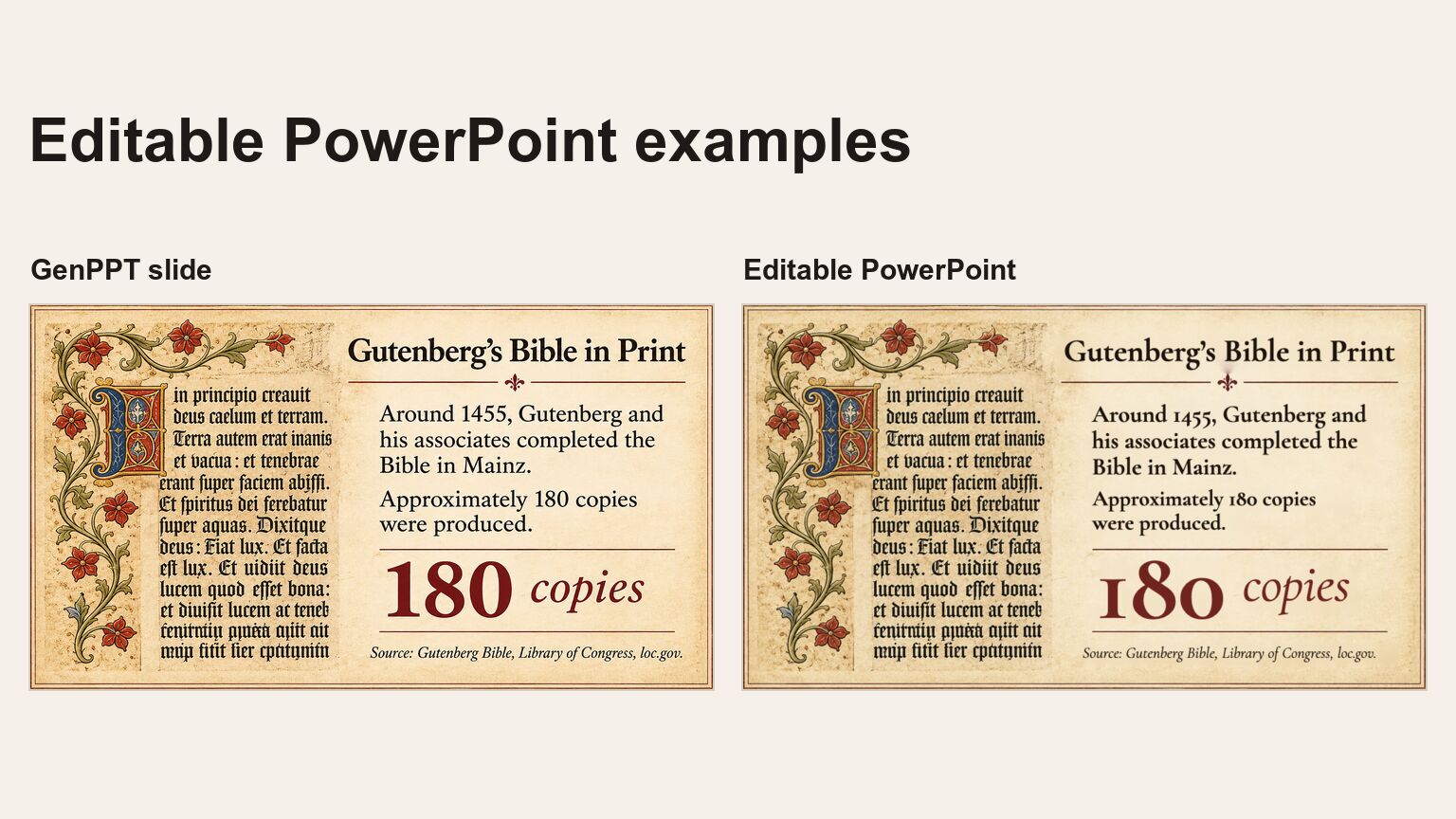
GenPPT draws each slide as one finished picture. The Editable PowerPoint export turns that picture back into a slide you can change. The text becomes real text boxes. Numbers stay numbers. Charts become native PowerPoint charts with their data. The art stays as a picture behind the text.
Here are three decks we exported this way. For each one you see the GenPPT slide on the left and the .pptx opened in Keynote on the right. Download any of them and click into a title.
Quarterly update with a native chart
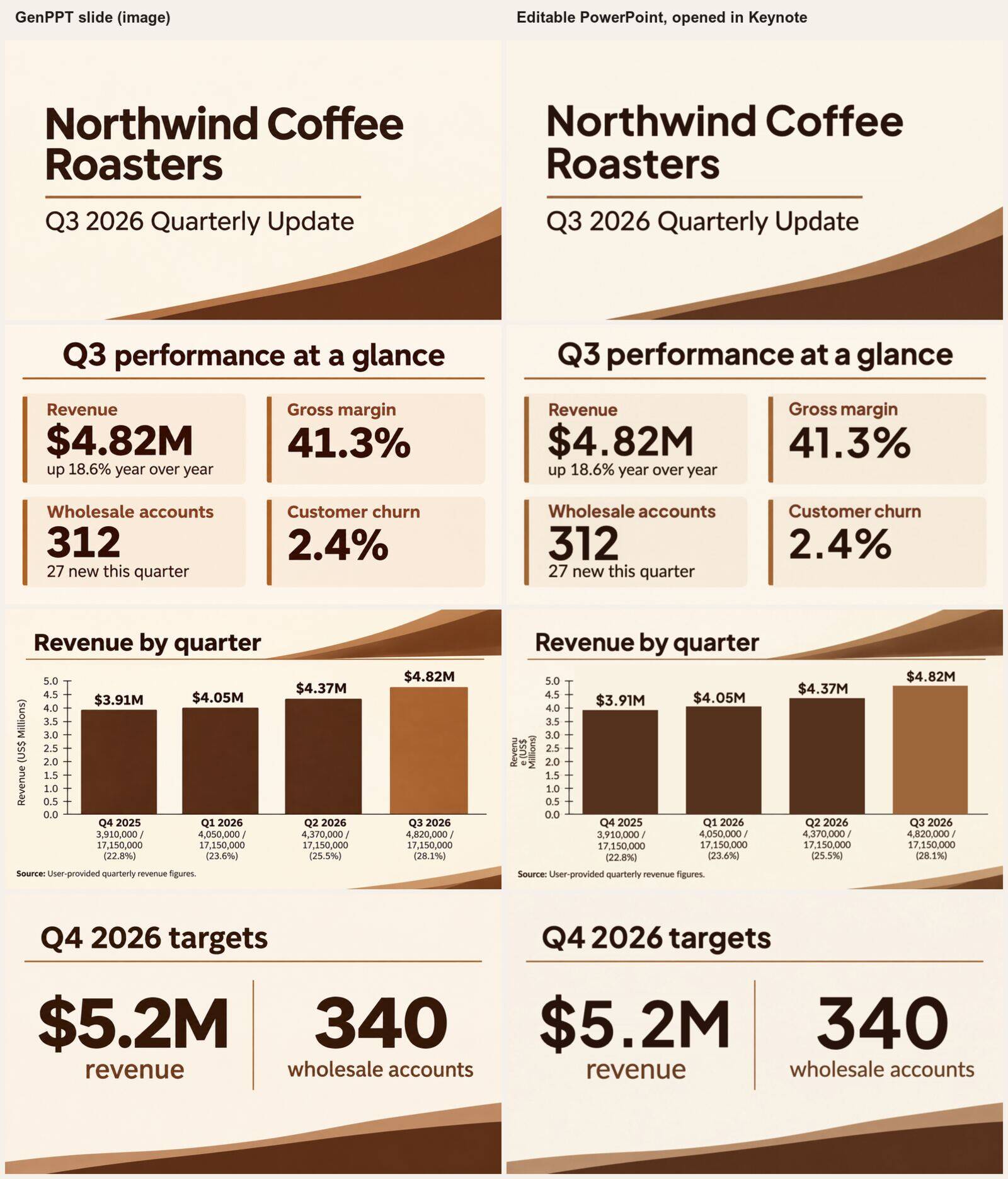
Northwind Coffee Roasters is an invented company. The deck has a cover, four KPI cards, a revenue bar chart, and two Q4 targets.
In the editable file, every KPI is a text box. The bars are a native PowerPoint chart with its data in an embedded sheet. Right-click the chart and choose Edit Data to change a quarter. The value labels above the bars, such as "$4.82M", are text boxes, so update them when you change a number.
Download the Northwind Coffee Q3 2026 deck (.pptx, 0.3 MB)
Serif history deck
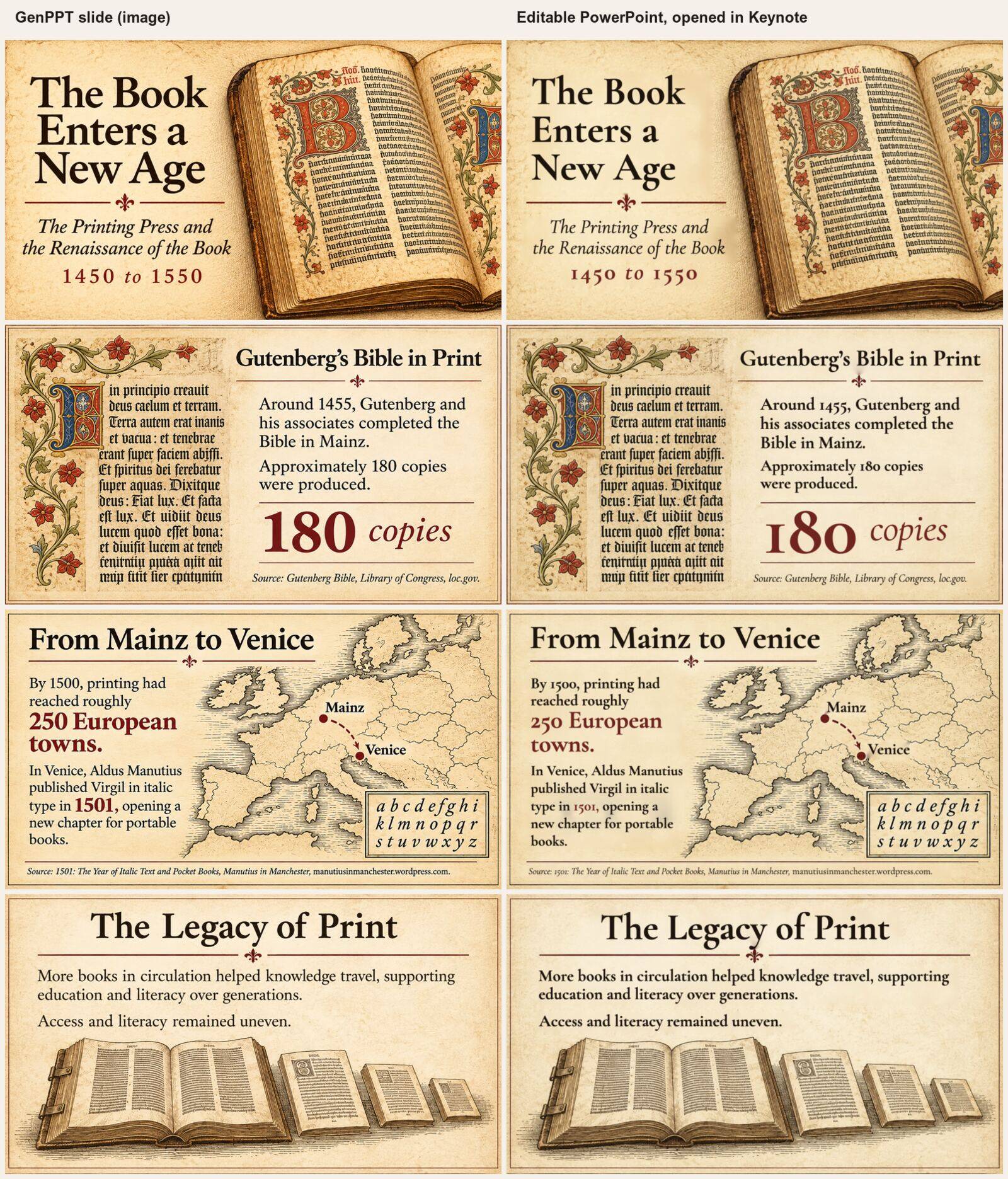
A four-slide lesson on the printing press, from Gutenberg's Bible to italic type in Venice. It uses a classic serif look with heavy illustration.
The book, the illuminated page, and the map stay as art. The titles, the paragraphs, the "180 copies" figure, the map labels, and the source lines are all text you can edit.
Download the printing press history deck (.pptx, 2 MB)
Community garden guide
A practical guide for volunteers: pick a site, build beds, share the watering, and celebrate the harvest. Each slide is a full photo with labels on top.
Every label and tip is a text box, so you can rename a step or fill in the watering rota. The garden photos stay as the background.

Download the community garden deck (.pptx, 1.9 MB)
What changes in the editable file
Look closely and you will see small differences between the two sides.
- Fonts can look a little different. The editable file uses real fonts, so PowerPoint or Keynote draws the letters. In the history deck, Keynote shows old-style numbers such as "1450".
- Narrow text boxes can wrap. Each app measures text its own way. On the chart slide, Keynote wraps the small axis title onto three lines.
- Art is one picture per slide. You can move or replace it, but you can't edit a drawing inside it.
If you need the slide to look exactly like the GenPPT render everywhere, use the plain PowerPoint (.pptx) export. It puts each slide in as one full image. We compare the two files in full-bleed slides vs editable text boxes.
How to export your own deck
- Make a deck in the GenPPT AI PowerPoint generator, or open one you already have.
- Open the Export menu and choose Editable PowerPoint (.pptx).
- GenPPT rebuilds the deck and emails you the file within about 1 hour.
Editable PowerPoint needs a paid plan or the $1 three-day trial. See pricing. To learn how the rebuild works, read how GenPPT turns visual slides into an editable .pptx.