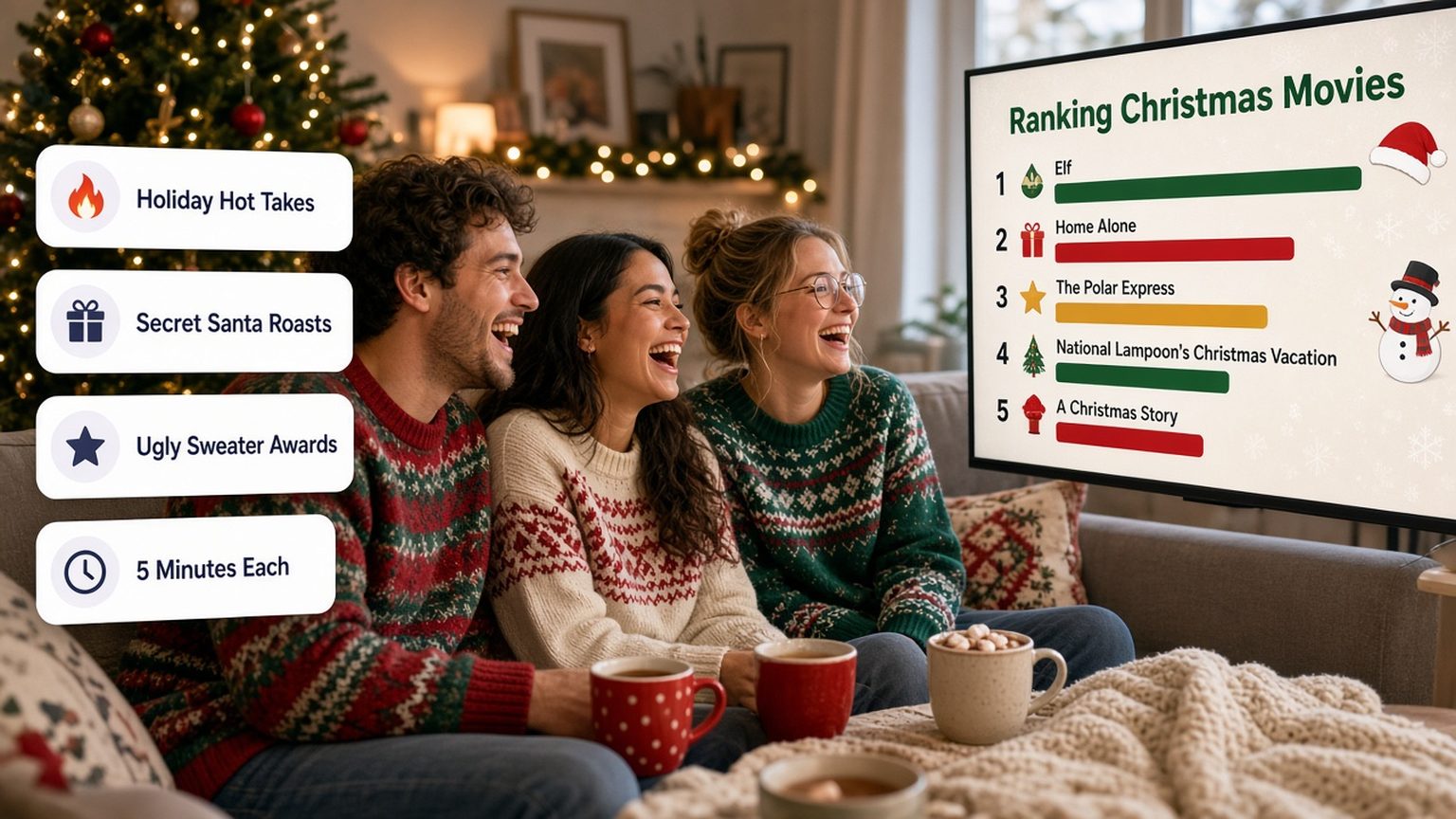
A Christmas PowerPoint night is a regular PowerPoint night with a holiday twist: each guest presents a short, funny slideshow on a festive topic, argued with total confidence. "Ranking Christmas movies by how much the main character needed therapy." "Why Kevin McCallister should be charged with assault." "The case for banning Mariah Carey until December 1st." Below are 75 Christmas PowerPoint night ideas in 12 categories, for friends, family, couples, coworkers and Zoom. Tap any idea to start that deck, then use the hosting plan, time limits and awards to run the night.
Want a random topic instead of scrolling? Try the PowerPoint night idea generator. For a round where people present slides they have never seen, add a Christmas PowerPoint karaoke round at the end.
Quick Tip: Keep each talk to 3 to 5 minutes. The holidays already run long, and the best decks end while people still want more.
What Is a Christmas PowerPoint Night?
At a PowerPoint night, friends take turns presenting a slideshow on any topic they like, as seriously as possible. The Christmas version keeps the format and swaps in holiday material: movies, songs, family traditions, gift disasters and the eternal question of when it is acceptable to put the tree up.
It works well in December because everyone shares the same references. You do not need to explain Home Alone or the office Secret Santa, so the jokes land faster.
Pro Tip: The funniest decks treat a tiny holiday grievance like a national scandal. Charts, "evidence" slides and a formal conclusion do most of the work.
75 Christmas PowerPoint Night Ideas
Seventy-five ideas in 12 categories. Categories 1 to 6 work for any group. Categories 7 to 11 are tuned for friends, family, couples, the office party and Zoom. Category 12 covers New Year's Eve, if your party runs late.
Tap an idea to build that deck with AI.
1. Christmas Movie Hot Takes
- Ranking Christmas movies by how much the main character needed therapyCreate
- Why Kevin McCallister should be charged with assaultCreate
- Is Die Hard a Christmas movie? A formal rulingCreate
- The Grinch was right, and here is my evidenceCreate
- Every Hallmark Christmas movie plot, explained in one flowchartCreate
- Ranking Christmas movie dads by parenting skillCreate
- Why Love Actually is a horror movieCreate
2. Christmas Music Court
- The case for banning Mariah Carey until December 1stCreate
- Ranking Christmas songs by how fast they make retail workers quitCreate
- What "Last Christmas" is really about: a breakup investigationCreate
- The 12 Days of Christmas gifts, priced and ranked by usefulnessCreate
- Why "Baby, It's Cold Outside" needs a modern remix (and my version)Create
- Christmas songs I would skip on the radio, rankedCreate
3. Santa Investigations
- Santa's workshop: a labor rights investigationCreate
- How Santa really delivers every present in one night (the math)Create
- Ranking Santa's reindeer by how replaceable they areCreate
- Santa's naughty list is a data privacy scandalCreate
- Why the Elf on the Shelf is a surveillance programCreate
- Mrs. Claus deserves her own franchiseCreate
4. Gifts and Secret Santa
- Every gift I have regifted, ranked by how much I got away with itCreate
- Secret Santa gifts that should be illegalCreate
- A field guide to the gift card: thoughtful or lazy?Create
- The worst gift I ever received, presented as a crime sceneCreate
- How to guess your gift from the wrapping: a scientific methodCreate
- Ranking stocking stuffers nobody asked forCreate
5. Holiday Food Rankings
- The official Christmas cookie tier listCreate
- Fruitcake: who is actually eating it?Create
- Ranking holiday dinner side dishes by how fast they disappearCreate
- Eggnog is a crime, and I have proofCreate
- Gingerbread houses I have built, rated by structural engineeringCreate
- The perfect Christmas dinner plate, designed by committeeCreate
6. Traditions on Trial
- When is it acceptable to put up the tree? A final rulingCreate
- Real tree vs fake tree: the debate ends tonightCreate
- Ugly sweaters, ranked by how much they want attentionCreate
- Christmas lights on houses in my neighborhood, judgedCreate
- Advent calendars have gone too farCreate
- Why my Christmas traditions are better than yoursCreate
7. Christmas PowerPoint Night Ideas for Friends
- My friends as Christmas movie charactersCreate
- Which friend would survive a Hallmark movie plotCreate
- My friends as Christmas tree ornamentsCreate
- Who in this room is on the naughty list, with evidenceCreate
- My friends ranked by how good their gifts were last yearCreate
- Each friend as a Christmas cookie, explainedCreate
8. Christmas PowerPoint Night Ideas for Family
- The unofficial history of our family ChristmasCreate
- Ranking every relative's signature holiday dishCreate
- Who should host Christmas next year: a formal proposalCreate
- Family Christmas photos through the years, reviewed by a criticCreate
- The great family board game incident, reconstructedCreate
- Grandma's holiday rules, explained to the next generationCreate
- The kids' table: a review of its policiesCreate
9. Christmas PowerPoint Night Ideas for Couples
- Our first Christmas together: a retrospectiveCreate
- Whose family Christmas wins? The evidenceCreate
- Every gift I hinted at that you missedCreate
- Our holiday schedule, mapped like a military operationCreate
- Why our tree decorating style is incompatibleCreate
- My partner as a Christmas movie love interestCreate
10. Christmas PowerPoint Night Ideas for the Office Party
Keep office topics about shared experiences, not about colleagues in the room. "Reply-all" jokes land. Jokes about someone's performance review do not.
- The office Secret Santa: a year in reviewCreate
- Ranking holiday party snacks by how fast they vanishCreate
- Out-of-office replies for the holidays, rankedCreate
- How to survive the last week before the breakCreate
- Our team as Santa's workshop departmentsCreate
- If our company were a Christmas movieCreate
- The holiday email chain that would not endCreate
11. Christmas PowerPoint Night Ideas for Zoom
- Ranking my Zoom backgrounds by holiday spiritCreate
- My home's Christmas decorations, guided tour editionCreate
- Holiday traditions from where each of us livesCreate
- The best Christmas snack I can reach in 30 secondsCreate
- My pet's Christmas wish list, translatedCreate
- A virtual ugly sweater fashion show, with commentaryCreate
12. New Year's Eve Bonus Round
- My resolutions from last year: a performance reviewCreate
- Predictions for next year that will definitely come trueCreate
- The year in review, as told by my camera rollCreate
- Ranking New Year's Eve parties I have attendedCreate
- Resolutions my friends should make, a helpful guideCreate
- Ranking the year's group chat momentsCreate
How to Host a Christmas PowerPoint Night
The format is simple. A little planning stops the night from turning into one person hunting for a laptop charger.
1. Send the Invite a Week Ahead
Give people at least five days. A good invite says the date, the time limit, and the one rule: pick a holiday topic and argue it like your reputation depends on it. If you want themes, assign categories from the list above so nobody brings the same movie ranking.
Copy-paste invite:
"Christmas PowerPoint night at mine on [date], [time]. Bring a 3 to 5 minute slideshow on any holiday topic and present it like a TED talk. Funniest deck wins a prize. Ugly sweaters strongly encouraged."
2. Set the Rules
- Time limit: 3 to 5 minutes each. Run a visible timer and stop people at the buzzer.
- Slides: 5 to 10 slides. One joke or claim per slide keeps the pace up.
- Tone: roast traditions, movies and yourself. Keep teasing affectionate, and skip anyone's real sore spots, especially at family events.
- Order: draw names from a stocking.
3. Set Up the Room
Load every deck on one laptop before the first talk, and connect it to the TV. Collect files in a shared folder or by email the day before. Have a clicker or a phone remote ready, plus a seat facing the screen for the presenter's "Q&A".
4. Plan the Night
| Time | What happens |
|---|---|
| First 30 minutes | Food, drinks, sweater judging |
| Main block | Presentations, 3 to 5 minutes each, with a short Q&A |
| Halftime | Snack refill and a karaoke round if the group is big |
| Last 20 minutes | Voting and awards |
For ten guests at 5 minutes each plus questions, plan about an hour of presentations.
Christmas PowerPoint Night Awards
Awards give every presenter a reason to commit. Print paper certificates, or make a short awards deck and present it at the end.
| Award | Goes to |
|---|---|
| Most Festive Deck | The best holiday design and theme |
| Biggest Grinch Energy | The most convincing anti-Christmas argument |
| Best Use of Evidence | The deck with the most ridiculous charts |
| Hallmark Plot Award | The most predictable, most satisfying story |
| Santa's Favorite | The audience vote winner |
| Lump of Coal | Ran the longest over time (with love) |
For more award names, see our list of funny superlatives for friends, coworkers and students.
Bonus: Christmas PowerPoint Karaoke
In PowerPoint karaoke, a presenter talks over slides they have never seen. It is the perfect late-night round when nobody wants to present their own deck anymore. Use the PowerPoint karaoke rules and a holiday topic like "The quarterly logistics report of the North Pole", then build random slides with the karaoke slide generator.
Tips for a Funnier Christmas Deck
- Pick a narrow topic. "Christmas movies" is a lecture. "Christmas movie dads ranked by parenting skill" is a bit.
- Use fake rigor. A bar chart of "Grinch Energy by Family Member" is funnier than a paragraph.
- Save the best slide for last. End on your strongest claim, then say "Any questions?" with a straight face.
- One idea per slide. If you need to read a slide aloud, it has too much text. Our presentation design tips cover the basics.
- Rehearse once. Run through it in the car or the shower. Five minutes goes faster than you think.
FAQ
What is a Christmas PowerPoint night?
A Christmas PowerPoint night is a holiday party where each guest presents a short, funny slideshow on a festive topic, such as ranking Christmas movies or investigating Santa's workshop. The group votes at the end and gives out awards.
What are good Christmas PowerPoint night topics?
Good topics are specific and argued with total confidence. Christmas movie rankings, Secret Santa "crime scenes", tier lists of holiday food, and formal rulings on traditions like when to put up the tree all work well. Pick a topic the whole room recognizes.
How long should a Christmas PowerPoint night presentation be?
Aim for 3 to 5 minutes and 5 to 10 slides, and cap it at 10 minutes. Short talks keep the energy high, leave time for questions, and let everyone present before people head home. See how many slides per minute for pacing.
Can you do a Christmas PowerPoint night at the office?
Yes. Use topics about shared experiences, like the office Secret Santa, holiday party snacks, or out-of-office replies, and avoid jokes about specific colleagues. Keep it opt-in, and give a short time limit so it fits inside the party.
Can you host a Christmas PowerPoint night on Zoom?
Yes. Any video call app with screen sharing works, such as Zoom, Google Meet, or Microsoft Teams. Each presenter shares their own screen, and the group votes in the chat. Zoom's free plan ends meetings at 40 minutes, so plan a second call for a long night.
Do you have to use PowerPoint?
No. Google Slides, Keynote, and Canva work as well. GenPPT exports a PowerPoint (.pptx) file that opens in PowerPoint, Google Slides, and Keynote, and it exports a PDF too.
Make Your Christmas Deck in Minutes
Pick your topic, commit to the bit, and present it like the fate of Christmas depends on it.
GenPPT is an AI presentation maker that builds the slides for your Christmas PowerPoint night topic. You type your topic or tap an idea above. GenPPT drafts an outline for you to approve and lets you pick a visual concept. The designed slides are ready a few minutes after you approve the outline. You edit them in chat, then export to PowerPoint (.pptx) or PDF.
The $1 trial gives you 3 days of full access and needs a card. After that, GenPPT costs $25 a month or $99 a year, with 20 decks per month. There is no free plan. See pricing for details.
Need more material? See the 100 unhinged PowerPoint night ideas, 75+ funny slideshow ideas, the PowerPoint night idea generator, and the AI PowerPoint generator.