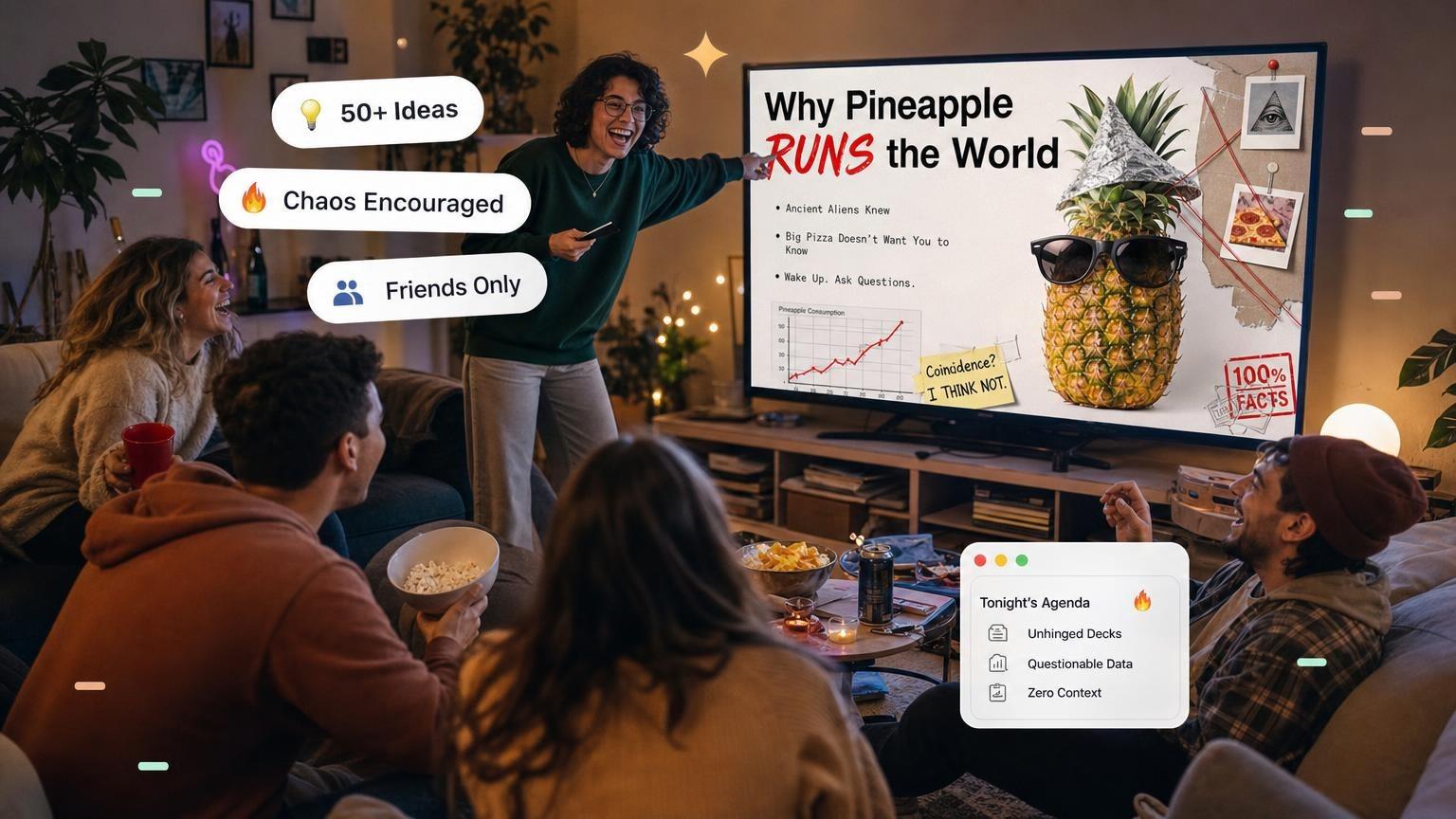
The best PowerPoint night ideas are oddly specific and argued with total confidence: "Which of my friends would survive a zombie apocalypse", "Ranking fast food mascots by their likelihood to survive the Hunger Games", or "Why my cat deserves to inherit my entire estate". Below are 100 funny, unhinged PowerPoint night topics in 20 categories, for friends, couples, college, Zoom, family, and coworkers. Tap an idea to start that deck, then use the rules, time limits, and invite text to host the night.
Need a random title instead of scrolling? Use the PowerPoint night idea generator. If the room is presenting slides they have never seen, switch to PowerPoint karaoke or the karaoke slide generator. To build any of these as a full deck, start from the AI PowerPoint generator.
Quick Tip: Aim for 3 to 5 minutes per presentation and cap it at 10. Stop while the room still wants more.
What is PowerPoint Night?
At PowerPoint Night, friends take turns presenting on whatever topic they want. One rule: be creative, be entertaining, and keep the room guessing.
Pro Tip: Tell your guests to go absurd. Unhinged wins.
The Ultimate List of Unhinged PowerPoint Night Ideas
100 ideas in 20 categories below, each one a topic you can steal or twist. Categories 1 to 10 suit any group. The rest are for friends, couples, family, coworkers, college, girls' night, guys' night, 18+ rooms, Zoom, and roommates.
Tap an idea to build that deck with AI.
1. Conspiracy Theories
- The moon landing was fake (and here's the proof)Create
- Birds aren't realCreate
- The Illuminati and celebrity cultureCreate
- Chemtrails: fact or fiction?Create
- Why the pyramid scheme built the Egyptian pyramidsCreate
2. Pop Culture Hot Takes
- The definitive ranking of Disney villains who'd commit tax fraudCreate
- Ranking fast food mascots by their likelihood to survive the Hunger GamesCreate
- Why my Sims are better humans than real peopleCreate
- Why watching reality TV is the closest thing to therapyCreate
- The most overrated fictional deaths and why they deserved worseCreate
3. Weird History
- Ranking historical figures by how good they'd be at TinderCreate
- Which historical events would make the best reality TV shows?Create
- The dark history of "Happy Birthday"Create
- Why the moon landing was a government-sponsored vacationCreate
- How I would spend Jeff Bezos' fortune in 24 hoursCreate
4. Human Behavior
- What your favorite pizza topping says about your search historyCreate
- The most effective ways to gaslight your group chatCreate
- How to win any argument by cryingCreate
- The science of convincing people you're smarter than you areCreate
- The ethics of stealing Wi-Fi from your neighborsCreate
5. Pet Theories
- Why my cat deserves to inherit my entire estateCreate
- Why cows are secretly planning to overthrow humanityCreate
- Why my neighbor's dog is plotting to frame me for murderCreate
- Why the Tooth Fairy is actually a black market dentistCreate
- How to fake your own death and start a hedgehog farm in PeruCreate
6. Professional Development
- Ranking the world's most useless professions (and why yours is #1)Create
- Why "Reply All" emails should be a punishable offenseCreate
- The top 5 most hauntingly useless purchases I've made while drunkCreate
- How to properly fake cry to get out of any situationCreate
- How to look busy in any meeting: a certified training courseCreate
7. Absurd Hypotheticals
- Why avocados are the true villains of capitalismCreate
- Why IKEA is a secret training ground for future cult leadersCreate
- Why "YOLO" was the worst thing to happen to humanityCreate
- The real reason the dinosaurs went extinct: a roastCreate
- Why "Live, Laugh, Love" is responsible for global warmingCreate
8. Pointless Debates
- The definitive ranking of condiments that could start World War IIICreate
- Why Monopoly is responsible for more broken families than infidelityCreate
- Which kitchen appliance would win in a fight to the deathCreate
- Ranking ways to accidentally ruin Christmas dinnerCreate
- Why eating glue should be a core childhood memoryCreate
9. Personal Rankings
- Ranking my family members by how much they deserve my kidneyCreate
- Which of my friends would survive a zombie apocalypseCreate
- The top 10 reasons why I'm the main characterCreate
- Why your zodiac sign determines how quickly you'd be arrested for arsonCreate
- The worst ways to accidentally go viral on TikTokCreate
10. Miscellaneous Mayhem
- The top 10 worst crimes I'd commit for a McFlurry at 3 a.m.Create
- How to ruin a wedding without getting kicked outCreate
- How many steps it takes to get from "hello" to FBI watchlistCreate
- Why Comic Sans should be the national fontCreate
- Why every group chat needs a formal constitutionCreate
11. PowerPoint Night Ideas for Friends
For a friend group that can take a joke. Roast the habits everyone already laughs about, and skip real sore spots.
- Everyone in this room, ranked by how long they take to text backCreate
- Who in this friend group would get us all arrested, with evidenceCreate
- Every friend's go-to excuse for canceling plans, rankedCreate
- The group chat's worst takes of the year: an awards ceremonyCreate
- A forensic audit of who still owes money from the last tripCreate
12. PowerPoint Night Ideas for Couples
For date night or a couples' game night. Keep it affectionate: roast the habits, not the person.
- A performance review of our relationship, with quarterly targetsCreate
- Ranking every argument we have had about where to eatCreate
- How we met: the official version vs. what really happenedCreate
- A formal proposal for who controls the thermostatCreate
- Our next five vacations, ranked by how likely we are to book themCreate
13. PowerPoint Night Ideas for Family
Safe for grandparents and kids. These work well at holidays, reunions, and birthdays.
- A formal investigation into who Mom's favorite child isCreate
- Ranking every family road trip by how close we came to turning aroundCreate
- Things Dad says, sorted by how often he says themCreate
- Why I should be excused from doing the dishes foreverCreate
- The family group chat: an annual reportCreate
14. PowerPoint Night Ideas for Work and Coworkers
Safe for work, for team socials and offsites. Joke about the office, not about one colleague.
- A tier list of every meeting that could have been an emailCreate
- The office snack drawer: a market analysisCreate
- What your most-used chat emoji says about your work styleCreate
- Our team as characters in a heist movieCreate
- A business case for a four-hour lunch breakCreate
15. PowerPoint Night Ideas for College and Dorm
For dorm lounges, suite nights, and the week before finals. Roast the building, not one roommate's grades.
- Why the dining hall pizza is a crime against ItalyCreate
- Ranking every dorm floor by who would survive a 3 a.m. fire drillCreate
- A formal complaint against the laundry roomCreate
- Which RA would win a Hunger Games of noise complaintsCreate
- The economics of splitting one DoorDash order among eight peopleCreate
16. PowerPoint Night Ideas for Girls' Night
For a living-room night with snacks and no plus-ones. Keep it about shared habits, not private fights.
- A performance review of every group chat nicknameCreate
- Ranking our dating app bios by how fast they should be deletedCreate
- Who would survive if the mall closed with us still insideCreate
- The unofficial rules of borrowing clothesCreate
- Why we need a constitution for girls' trip planningCreate
17. PowerPoint Night Ideas for Guys' Night
For a watch-party or backyard night. Joke about the snacks and the group chat, not about someone's job.
- Ranking every friend by how they grillCreate
- A scouting report on who watches the game vs who watches the snacksCreate
- Why fantasy football should be an Olympic sportCreate
- Who would get us banned from a golf cartCreate
- The official ranking of our worst haircutsCreate
18. PowerPoint Night Ideas That Are 18+
For adults only. Keep it tasteful: dating fails and party logistics, not explicit slides.
- A scientific ranking of terrible first-date venuesCreate
- Why the "u up?" text should be retired with honorsCreate
- Things rom-coms taught us that ruined our dating livesCreate
- A field guide to leaving a party without saying goodbyeCreate
- Ranking excuses for staying over that nobody believesCreate
19. PowerPoint Night Ideas for Virtual and Zoom Nights
For a video call when nobody can host in person. Share one screen, run a timer, and vote in chat.
- A forensic study of who is actually on muteCreate
- Ranking virtual backgrounds by how much they are hidingCreate
- Why camera-off people are running the meetingCreate
- How to look like you are taking notes while shopping onlineCreate
- The hidden language of Zoom reactionsCreate
20. PowerPoint Night Ideas for Roommates
For a house or apartment that already has a chore chart and a shared oat milk.
- A budget hearing on who finished the oat milkCreate
- Ranking chores by how long we pretend they do not existCreate
- Why the thermostat is a diplomatic incidentCreate
- A lease addendum for the person who never buys paper towelsCreate
- Who would survive if the Wi-Fi went down for a weekCreate
Run a chaotic PowerPoint night. Pick a wild theory or a ridiculous debate and take the stage. Start the $1 trial and have AI build your unhinged deck.
How to Host an Epic PowerPoint Night
1. Set the Stage
- Create a "conference room" atmosphere with business casual attire
- Use proper presentation terminology inappropriately
- Have a Q&A session after each presentation where only wrong answers are allowed
2. Essential Rules
- Keep presentations under 10 minutes
- Every claim must be backed by completely unreliable sources
- The more passionate about ridiculous topics, the better
- Graphs and charts must be unnecessarily complicated
- Corporate buzzwords are mandatory
3. Presentation Tips
| Do | Don't |
|---|---|
| Use completely incorrect stock photos | Make actual sense |
| Include dramatic transition effects | Stick to facts |
| Create elaborate conspiracy boards | Be boring |
| Use Comic Sans ironically | Take yourself seriously |
| Include at least one conspiracy theory | Forget to cite Wikipedia |
4. Time Limits, Slides, and Scoring
The jokes are the fun part. These settings keep the night moving.
| Setting | What to use | Why |
|---|---|---|
| Time per talk | 3 to 5 minutes, 10 at most | Short talks keep the energy up |
| Slides | 5 to 10 | One joke per slide is enough |
| Theme | Open, or one theme for all | A theme makes topics easier to pick |
| Notice | A few days | Guests need time to build slides |
| Order | Draw names from a bowl | Nobody argues about who goes first |
| Breaks | After every 3 or 4 talks | Time for snacks and refills |
| Scoring | 1 to 10 per talk, or awards | A winner gives the night a finale |
Do the math before you invite people. Eight presenters at 5 minutes each, plus questions, is about an hour.
Awards that work for any group:
- Most unhinged take
- Best fake statistic
- Most convincing nonsense
- Best slide design
- Worst use of a transition
5. Invite Text You Can Copy
Paste this into the group chat and fill in the brackets.
PowerPoint Night at my place: [date], [time].

The rules:
1. Pick any topic. The more unhinged, the better.
2. 5 to 10 slides. 5 minutes max. There will be a timer.
3. Send me your deck by [day] so I can load it on one laptop.
4. We vote at the end. The winner gets a trophy and bragging rights.

Reply with your topic so we do not get two decks on the same thing.
6. Hosting a Virtual PowerPoint Night
A PowerPoint night works on a video call too. Use any app with screen sharing, such as Zoom, Google Meet, or Microsoft Teams.
- Agree on the order before the call starts.
- Each presenter shares their own screen.
- The host runs the timer and reads out questions from the chat.
- Everyone votes in the chat at the end.
Check the time limit before you send the link. Zoom's free plan ends meetings at 40 minutes, and a free Google Meet call with 3 or more people ends at 60 minutes.
For a longer night, start a second call after the break.
In person, you need one laptop, a TV or projector, and the cable that connects them. Test it before the guests arrive.
Making Your Presentation Memorable
The Perfect Formula
- Start with a ridiculous hypothesis
- Present "evidence" that makes no sense
- Include charts that look professional but are completely made up
- End with a conclusion that's even more absurd than your starting point
- Handle Q&A with absolute conviction in your nonsense
A 6-Slide Outline You Can Copy
Here is the formula applied to one topic: "Which of my friends would survive a zombie apocalypse."
| Slide | Its job | Example |
|---|---|---|
| 1. Title | State the claim | "A Survival Analysis of This Friend Group" |
| 2. Stakes | Say why it matters | "One of us will not make it past day two" |
| 3. Method | Explain your fake study | Scored on cardio, snack hoarding, and panic |
| 4. Ranking | Show the results | Each friend, from first out to last standing |
| 5. Chart | Add made-up data | A bar chart of survival odds |
| 6. Verdict | Name the winner | Hand over the award, then take questions |
Your first line matters most. For ways to open, see these presentation hook examples.
GenPPT does not know your friends. Put names and inside jokes in the prompt, or add them in chat after the first draft.
FAQ
What is a PowerPoint night?
A PowerPoint night, also called a PowerPoint party, is a get-together where each guest presents a short slideshow on a topic they picked. The topics are usually funny, oddly specific, or about the people in the room. Everyone else watches, heckles, asks questions, and votes.
How long should each PowerPoint night presentation be?
Aim for 3 to 5 minutes per person, and set 10 minutes as the hard cap. Short talks keep the room awake and leave time for questions. Use a phone timer that everyone can see.
How many slides should a PowerPoint night presentation have?
Plan 5 to 10 slides. In a 5-minute talk, that is one slide every 30 to 60 seconds, which suits a joke-per-slide pace. For serious talks, see how many slides per minute you need.
How do you host a PowerPoint night?
Pick a date, send the rules, and give guests a few days to build their slides. On the night, load every deck on one laptop, connect it to a TV, draw names for the order, and run a timer. End with a vote and awards. The full setup is in How to Host an Epic PowerPoint Night.
What are good PowerPoint night topics?
Good topics are specific, low-stakes, and argued with total confidence. Rankings, fake conspiracy theories, and "studies" about your friend group work best. Skip anything that targets a sore spot for someone in the room. If you are stuck, the PowerPoint Night idea generator gives you a random one.
Do you have to use PowerPoint?
No. Google Slides, Keynote, and Canva work as well. GenPPT exports a PowerPoint (.pptx) file that opens in PowerPoint, Google Slides, and Keynote, and it exports a PDF too.
Can you host a PowerPoint night on Zoom?
Yes. Any video call app with screen sharing works, such as Zoom, Google Meet, or Microsoft Teams. Each presenter shares their own screen, and the group votes in the chat. Zoom's free plan ends meetings at 40 minutes, so plan a second call for a long night.
Ready to Create Chaos?
Commit to the bit. Present your unhinged topic like you're defending a dissertation, and the room laughs harder. Build presentations your friends can't unsee, no matter how hard they try.
GenPPT is an AI presentation maker that builds the slides for your PowerPoint night topic.
Here is how it works. You type your topic or tap an idea above. GenPPT researches it, drafts an outline for you to approve, and lets you pick a visual concept.
The designed slides are ready about 2 to 3 minutes after you approve the outline. You edit them in chat, then export to PowerPoint (.pptx) or PDF.
The $1 trial gives you 3 days of full access and needs a card. After that, GenPPT costs $25 a month or $99 a year, with 20 decks per month.
There is no free plan. See pricing for details.
One limit: the slides are full-slide designs, so a chart is a picture and is not linked to Excel. For a joke deck with made-up data, that is all you need.
Need more material? See 75+ funny slideshow ideas, the PowerPoint Night idea generator, the PowerPoint karaoke rules, the karaoke slide generator, and the AI PowerPoint generator.