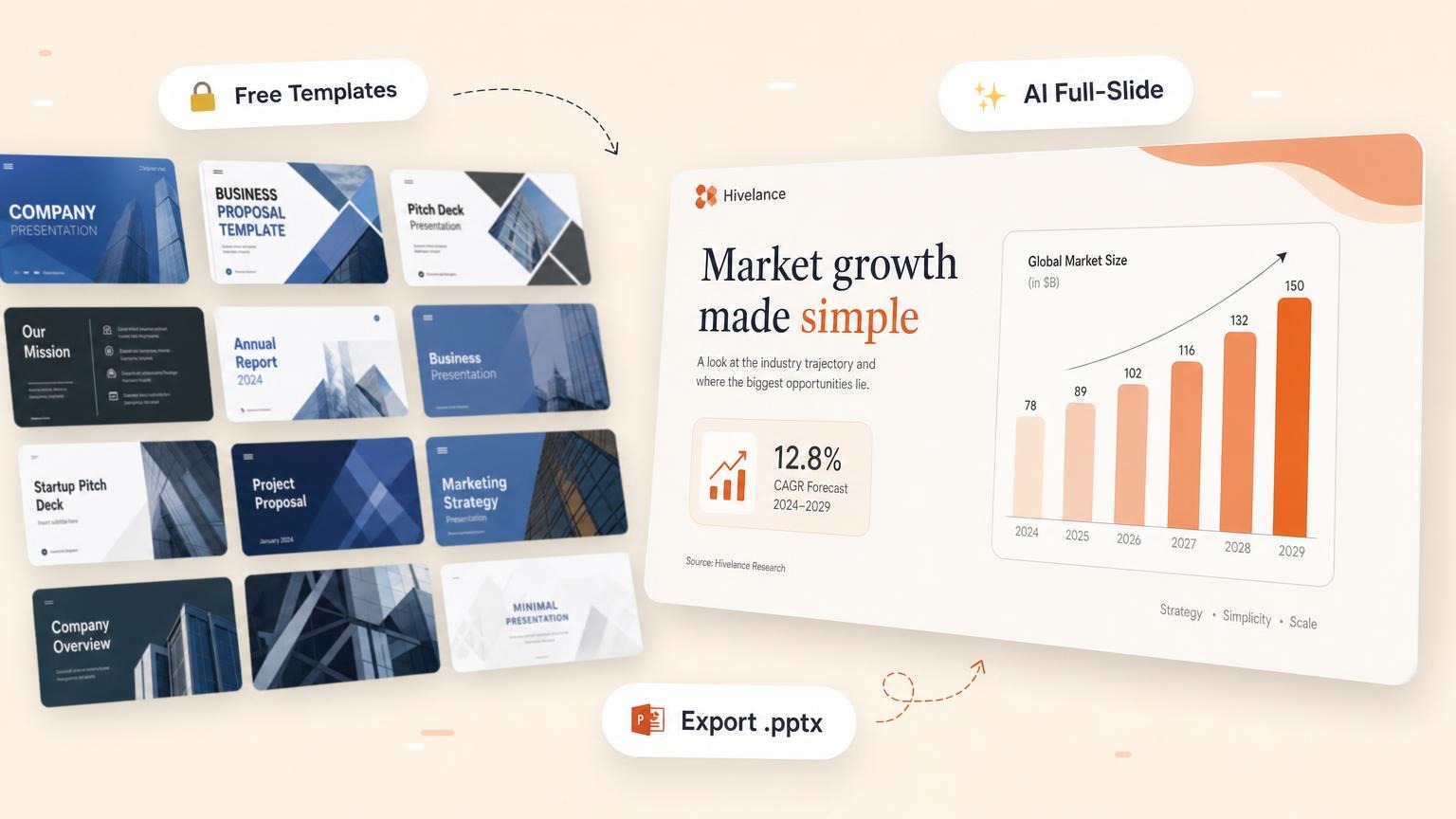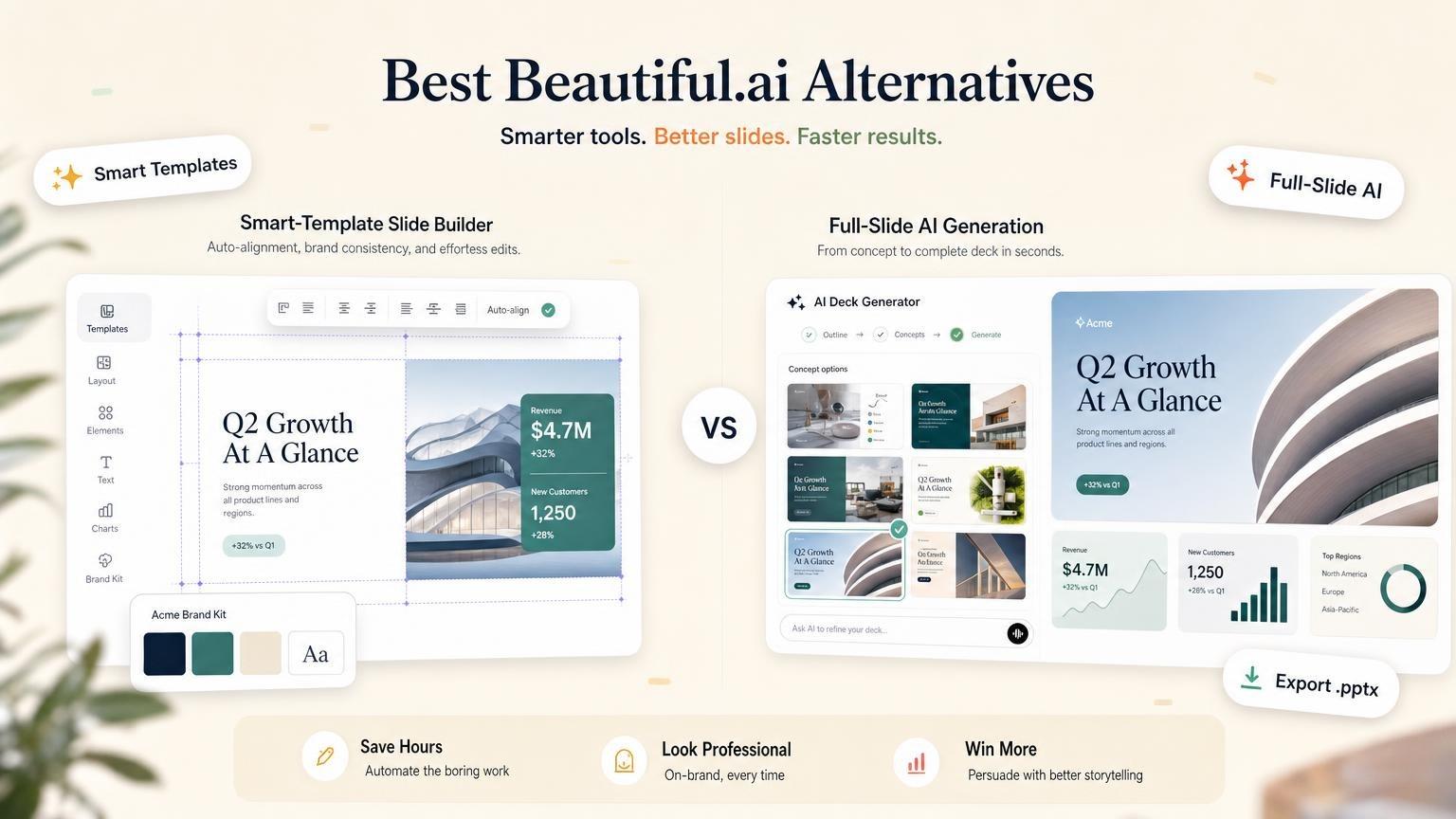
The best Beautiful.ai alternatives are GenPPT for designed full-slide decks, Pitches.ai for investor pitch decks, Gamma for web-native drafts, Canva for templates, Pitch for team workspaces, PowerPoint + Copilot for Microsoft 365, and Plus AI for work inside PowerPoint or Google Slides.
Beautiful.ai itself is an AI presentation tool built on Smart Slide templates. Pro costs $14.50 per month billed annually, or $45 month to month. There is no free plan, only a 14-day trial that requires a card.
GenPPT and Pitches.ai are our own products. This guide says where the other tools fit better.
What is Beautiful.ai?
Beautiful.ai is a browser-based presentation tool. Its website calls it "AI Presentation Software for Teams".
The core idea is the Smart Slide. You add content, and the layout adjusts spacing, alignment and hierarchy for you. You do not drag boxes into place.
The Beautiful.ai website listed these features on October 2, 2026:
| Feature | What it does |
|---|---|
| Create with AI | Builds a deck from a topic, a pasted outline, an uploaded file or a URL. You review a slide-by-slide outline first. |
| Smart Slides | 300+ layouts that reformat as you add or remove content. |
| Classic Slides | Blank slides without the design guardrails, for more control. |
| Brand controls | A theme builder for colors, fonts, logos and footers. Team plans add shared libraries and locked slides. |
| AI editing | Rewrites, expands or shortens text, regenerates images, and swaps layouts while your copy stays. |
| Export | Editable PowerPoint, PowerPoint images, Google Slides, PDF, print and an offline player. |
Beautiful.ai was founded by Mitch Grasso, who earlier founded SlideRocket. The company behind it, Beautiful Slides, Inc., lists a San Francisco address.
How Beautiful.ai works
Beautiful.ai describes the AI flow in these steps:
- Start. Type a topic, paste an outline, add a URL or upload a file.
- Review the outline. You refine the story slide by slide before any slide is built.
- Set the style. Choose a theme and an image source, or define an AI image style for the deck.
- Generate and edit. The AI builds the slides on Smart Slide layouts. You then edit text, images and layouts in the editor.
Beautiful.ai pricing
Beautiful.ai has three plans: Pro, Team and Enterprise. These prices are from the Beautiful.ai pricing page on October 2, 2026, in US dollars.
| Plan | Annual billing | Monthly billing | Seats |
|---|---|---|---|
| Pro | $14.50/month | $45/month | 1 |
| Team | $40/user/month | $50/user/month | 2 to 20 |
| Enterprise | Custom quote | Custom quote | No stated limit |
Pro billed annually comes to 12 x $14.50 = $174 for the year. Beautiful.ai sells the $45 monthly option "for ad hoc projects", which means one-time decks.
The Team card on the pricing page also reads "includes 3 users" and "fixed pricing for up to three users". Confirm the total at checkout before you start a Team trial.
Beautiful.ai also sells a flat-rate SMB plan through a sales demo. Its small business page lists $6,000 per year for a company of up to 50 employees and $12,000 per year for up to 100 employees, with access for all users.
What each plan gives you:
- Pro: unlimited AI content generation, 300+ Smart Slide layouts, context from files or links, AI images, AI writing and translation, a custom theme builder, and PowerPoint import and export.
- Team: everything in Pro, plus real-time collaborative editing, a central slide and template library, version control, locked slides, a shared asset library and live data linking for charts and tables.
- Enterprise: everything in Team, plus SSO, SCIM user provisioning, audit logs, configurable brand guardrails, priority support and onboarding.
How the Beautiful.ai trial and refunds work
- Trial: 14 days on Pro or Team, with full access to the plan's features. You must enter a card to start.
- After the trial: the card is charged automatically unless you cancel before the 14 days end. On annual Pro, that is the full year.
- Refunds: an annual subscription may get a partial refund if you ask within 24 hours of the purchase or renewal. Monthly subscriptions are not refundable. Refunds are subject to a processing fee.
- Students: a verified .edu email gets one year of Pro at no cost. The offer is for new student subscribers and lasts 12 months.
- Cancel: open the Billing section of your profile. You keep Pro until the end of the billing cycle.
Beautiful.ai review: strengths and limits
This review uses public sources: Beautiful.ai's product pages, its pricing page, its help center and public review sites. It is not a scored hands-on test.
Strengths
- Layouts stay clean. Smart Slides handle alignment and spacing, so a non-designer gets a tidy slide.
- AI with an outline step. You can start from a prompt, a file or a link, and you approve the outline before the slides are built.
- Editable output. Slides are real objects in an editor. The PowerPoint and Google Slides exports are editable too.
- Brand control for teams. Themes, shared slide libraries and locked slides keep a sales team on one look.
- Charts with live data. Team plans link charts and tables to live data.
- No credit meter. Every seat lists unlimited AI content generation.
Limits
- No free plan. You cannot keep a free account. The trial needs a card.
- One deck is expensive. Month to month costs $45, about three times the annual rate per month.
- Short refund window. 24 hours for annual plans, and no refunds for monthly plans.
- Guardrails cut both ways. Smart Slides decide where elements go. Beautiful.ai offers Classic Slides for more freedom, but those work without the design guardrails.
- Export loses motion. The help center says transitions and animations are lost on export. If your computer lacks the deck fonts, the PowerPoint file looks different until you install them.
- Teamwork costs more. Real-time co-editing, the shared library and version control start on the Team plan.
Competitor blogs (Plus AI and SlideSpeak) also report that the Smart Slide layouts start to look alike across decks. We did not verify this.
What reviewers say: on Trustpilot, Beautiful.ai had a score of 2.8 from 248 reviews on October 2, 2026. The profile is claimed by the company.
Positive reviews mention the templates, stock images and how fast a clean deck comes together. Negative reviews mention charges after the trial, automatic renewals and support that is hard to reach about refunds.
Trustpilot notes that the company has not invited customers to review recently, so the reviews may not be representative. Read the recent ones yourself.
Is Beautiful.ai worth it?
It is worth the price when a team sends client decks every week and wants every slide on brand. In that case the annual plan and the layout guardrails save real formatting time.
It is harder to justify for one deck. At $45 for a single month, a flat-price or free-to-start tool costs less.
Quick comparison: Beautiful.ai alternatives at a glance
These are the tools like Beautiful.ai that we compare in this guide. Beautiful.ai is in the table so you can see the prices side by side.
| Tool | Best for | Starting price | Free option |
|---|---|---|---|
| 1. GenPPT | Full-slide AI decks from prompts and documents | $25/mo or $99/yr | No. $1 trial for 3 days |
| 2. Pitches.ai | Investor pitch decks | Export $49/deck or $249/yr | Generation and chat |
| 3. Beautiful.ai | Smart template editing | $14.50/mo annual or $45 monthly | No. 14-day trial, card required |
| 4. Gamma | Web-native drafts | Plus $12/mo, or $9/mo annual | 400 credits at sign-up |
| 5. Canva | Templates and design assets | Pro $144/yr | Yes |
| 6. Pitch | Team slide workspaces | Plus $10/seat/mo (or €10), paid yearly | Yes, no PPTX export |
| 7. PowerPoint + Copilot | Slides inside Microsoft 365 | $21/user/mo business ($18 promo) or $30 enterprise, plus Microsoft 365 | Copilot Chat only |
| 8. Plus AI | Add-on for PowerPoint and Google Slides | $15/user/mo, or $10 annual | No. 7-day trial, card required |
All prices were checked on each vendor's own site on October 2, 2026.
For the broader category, see Best AI PowerPoint Generators and Presentation Makers.
When Beautiful.ai still makes sense
Beautiful.ai is the right tool for some jobs. Stay with it when:
- Brand guardrails are the point. You want layouts that non-designers cannot break.
- A team shares slides. The Team plan has a central slide library, locked slides and version control.
- You need editable charts. Charts are data objects, and Team plans link them to live data.
- You finish decks by hand. You want to move from an AI draft to slide-by-slide edits in one editor.
- You are a student. A verified .edu email gets one year of Pro at no cost.
- Your IT team has a checklist. Enterprise lists SSO, SCIM, audit logs and SOC 2 Type II.
When to pick a Beautiful.ai alternative
Look at another tool when one of these is true:
- You need one deck, not a year. Beautiful.ai costs $45 month to month. GenPPT costs $25 per month, and Gamma has a free plan.
- You want the tool to design the full slide. GenPPT renders each slide as a complete visual in a concept you choose.
- You are raising money. Pitches.ai is built only for investor decks.
- You want to start with no card. Gamma, Canva and Pitch each have a free plan.
- You do not want to leave PowerPoint or Google Slides. Copilot and Plus AI run inside those apps.
- You make more than slides. Canva covers social graphics, video and print in one account.
Best Beautiful.ai alternative by use case
| Your job | Best pick | Why |
|---|---|---|
| Turn a brief or a document into a designed deck | GenPPT | You approve the outline, pick a visual concept and get full-slide designs |
| Raise a seed round | Pitches.ai | A 12-slide investor story from your company URL and files |
| Keep editable, on-brand layouts for a team | Beautiful.ai | Smart Slides, themes and shared libraries |
| Share a deck as a web link at no cost | Gamma | 400 credits at sign-up, with PDF and PPTX export on the free plan |
| Make slides, social posts and video in one tool | Canva | A full design suite with a free plan |
| Build decks together in a shared workspace | Pitch | Free plan for up to 5 members |
| Stay inside Microsoft 365 | PowerPoint + Copilot | Copilot drafts slides in PowerPoint |
| Stay inside Google Slides or PowerPoint | Plus AI | An add-on for both apps |
Have a topic ready? Start with a deck that you need this week.
1. GenPPT: best for full-slide AI decks
Best for: decks from a prompt, a PDF, a Word document, a text file, images or a link, with outline approval before the slides are designed.
GenPPT researches the topic and drafts an outline. You approve the outline and pick a visual concept.
Then it generates full-slide designed slides in about 2 to 3 minutes. You edit single slides in chat and export to PowerPoint (.pptx) or PDF.
Beautiful.ai has an outline step too. The difference is in the slides and in the price model:
| Point | GenPPT | Beautiful.ai |
|---|---|---|
| Slide style | Full-slide, image-native designs | Smart Slide templates with editable objects |
| Month to month | $25/month | $45/month |
| Yearly | $99/year | $174/year ($14.50/month) |
| First step | $1 trial, 3 days, card required | 14-day trial, card required |
Pricing: $1 trial for 3 days of full access (card required), then $25/month or $99/year. There is no free plan. Paid plans include 20 decks per month and PowerPoint and PDF export with no watermark.
Limits: slides are image-native designs. You change them in chat, and charts do not link to Excel. Check every number and claim yourself before you present.
Beautiful.ai's trial is longer, and its plans list unlimited AI generation. If you need editable chart objects or locked brand layouts, Beautiful.ai or Plus AI fits better.
Choose GenPPT when: you want a finished deck from a brief, not smart templates that you still fill by hand.
The GenPPT vs Beautiful.ai page shows the two side by side.
2. Pitches.ai: best for investor pitch decks
Best for: seed and pre-seed pitch decks from a company URL, a memo, a PDF, a PowerPoint file or a spreadsheet.
Pitches.ai is narrower than Beautiful.ai and GenPPT. That is the point. It researches your company, writes a 12-slide investor story, and you edit it in chat before you export.
Pricing: generation and chat are free. PPTX/PDF export costs $49 per deck or $249/year.
Choose Pitches.ai when: the deck must answer investor questions, not just look polished.
For the slide order that investors expect, read pitch deck structure.
3. Beautiful.ai: best when you still want smart templates
Best for: brand-conscious teams that build and edit slide by slide.
Pricing: Pro is $14.50/month billed annually or $45 month to month. Team is $40/user/month billed annually or $50 monthly.
The trial is 14 days and requires a card. There is no permanent free plan. See the full pricing table above.
Tradeoff: the layouts make the design decisions for you, and one month costs $45.
Choose Beautiful.ai when: the layout guardrail is the product and you want to edit every element yourself.
4. Gamma: best for fast web-native drafts
Gamma makes presentations, documents, websites and social posts in a web-native format. It is good for internal read-aheads, one-pagers and decks that you share as a link.
Pricing: the free plan gives 400 credits at sign-up and up to 10 slides per prompt, with no card required. Plus is $12/seat/month on monthly billing or $9/seat/month billed annually. Pro is $25 or $18.
Good to know: the free plan lists import from PDF and PPTX, and export to PDF, PPTX, PNG and Google Slides. Removing Gamma branding starts at Plus.
Tradeoff: Gamma is built for the browser first. Open the exported .pptx in PowerPoint and check the layout before you present.
We compare the two tools on the GenPPT vs Gamma page.
5. Canva: best for template flexibility
Canva is a design suite with presentations, social graphics, brand kits, video and AI tools. You place every element yourself, so you get more freedom than in a Smart Slide.
Pricing: Canva Free costs nothing. Canva Pro is $144/year for one person, and Canva Business is $250/year per person, before tax. Pro and Business have a free trial.
Tradeoff: Canva is broad, not deck-first. Canva's help center says a design downloaded as PPTX can look different in PowerPoint, and you may need to install the fonts.
6. Pitch: best for team collaboration
Pitch is a shared slide workspace with templates, sharing links and engagement analytics. It also has an AI agent that drafts a presentation.
Pricing: the Free plan costs nothing for up to 5 members, with 100 AI credits that do not renew. Plus is $10 per seat per month when you pay yearly, with 500 AI credits per month. Team is $15 and Business is $20 per seat per month, paid yearly.
The pricing page shows the same numbers in euros (€10, €15, €20) in some locations. Check the currency at checkout.
Tradeoff: PowerPoint export needs a paid plan, and the Free plan puts Pitch branding on PDF exports. AI use is limited by credits.
7. PowerPoint + Copilot: best for Microsoft 365 teams
Copilot drafts and edits slides inside PowerPoint. It can use your Microsoft 365 work data when your license allows it.
Pricing: Microsoft 365 Copilot is $30/user/month paid yearly on the enterprise page. You also need a qualifying Microsoft 365 license.
For businesses with up to 300 users, the Copilot Business add-on shows $18/user/month paid yearly. This is a first-year promotion for purchases until December 31, 2026. The list price is $21, and you need an eligible Microsoft 365 Business plan.
Good to know: Copilot Chat is included with an eligible Microsoft 365 subscription. The business plans have a one-month trial that requires a card.
Tradeoff: it is an assistant inside PowerPoint, not a standalone AI deck studio. You still build on PowerPoint templates.
8. Plus AI: best for PowerPoint and Google Slides users
Plus AI is an add-on that generates and edits slides inside PowerPoint and Google Slides. You stay in the app you already use.
Pricing: Basic is $15/user/month monthly or $10/user/month billed annually, with 1,500 AI credits per month. Pro is $25 or $20.
Every plan starts with a 7-day trial that includes 1,000 AI credits. The trial requires a card.
Tradeoff: output depends on your template. Document uploads start at Pro, and custom branding starts at the Team plan.
Other Beautiful.ai competitors
Other Beautiful.ai alternative lists also name Prezi, Visme, Presentations.ai and Slidebean. We did not check their prices for this guide, so they are not ranked here.
Prezi is the most different of the four. It presents on a zoomable canvas, not a row of slides. See Best Prezi Alternatives if that format is what you compare.
How to switch from Beautiful.ai
You can move to another tool without losing your decks. Do these steps while your paid plan is active.
- Export the decks you want to keep. Open the Presentation menu, select Export Presentation and choose Editable PowerPoint, Google Slides or PDF. Editable export needs a Pro, Team or Enterprise plan.
- Install the fonts. Beautiful.ai offers a Download Fonts option at export. Without the fonts, the PowerPoint file looks different.
- Check what is lost. Transitions and animations do not survive the export. Google Slides also drops embedded video and audio.
- Cancel before the renewal date. Use the Billing section of your profile. Annual plans have a 24-hour refund window, and monthly plans have none.
Test an alternative in 15 minutes
Feature lists do not show slide quality. Run the same brief through two or three tools and compare the results.
Create a 10-slide deck.
Topic: [your topic]
Audience: [who will see it]
Goal: [the decision or action you want]
Tone: [formal / plain / persuasive]
Must include: [3 key numbers or points]
Do not add facts that I did not give you.
Then check four things: the outline order, three numbers against your source, the exported file in PowerPoint, and the cost of the test.
No brief at hand? Start a test deck in GenPPT from one of these topics:
- Sales deck for a B2B software productCreate
- Quarterly business review for the leadership teamCreate
- Marketing plan for a product launchCreate
- New client onboarding for an agencyCreate
FAQs
What is the best Beautiful.ai alternative?
GenPPT is the best Beautiful.ai alternative for full-slide AI decks from prompts, documents and links. Pitches.ai is the best alternative for investor pitch decks. Gamma and Canva are the picks if you want to start at no cost, and Plus AI or Copilot if you want to stay inside PowerPoint.
Is GenPPT better than Beautiful.ai?
GenPPT is better when you want a designed deck from a brief at a flat price: $25 per month or $99 per year. Beautiful.ai is better when you want editable Smart Slide layouts, live charts and team brand controls. GenPPT has no free plan. It starts with a $1 trial for 3 days.
Is Pitches.ai a Beautiful.ai alternative?
Yes, for pitch decks. It is not a general design workspace. It is a pitch deck generator for founders, with free generation and paid export.
Does Beautiful.ai have a free plan?
No. The Beautiful.ai pricing page listed no permanent free plan on October 2, 2026. It offers a 14-day trial that requires a card, and the card is charged if you do not cancel before the trial ends. Students with a verified .edu email can get one year of Pro at no cost.
How much does Beautiful.ai cost?
Pro costs $14.50 per month billed annually, which is $174 per year, or $45 month to month. Team costs $40 per user per month billed annually, or $50 billed monthly, for 2 to 20 seats. Enterprise pricing is by quote.
What is the best free alternative to Beautiful.ai?
Gamma and Canva are the strongest options with a free plan. Gamma gives 400 credits at sign-up and lists PDF and PPTX export on its free plan. Canva Free costs $0 and is open to anyone. Pitch also has a free plan, but PowerPoint export needs a paid plan.
Can you export a Beautiful.ai presentation to PowerPoint?
Yes. Pro, Team and Enterprise plans can export an editable PowerPoint file or send the deck to Google Slides. Transitions and animations are lost on export. Install the deck fonts first so the layout does not change.
Try it with your own brief
Have a topic or a document ready? Give it to GenPPT, approve the outline, and see the designed slides a few minutes later. The $1 trial runs for 3 days and requires a card.