
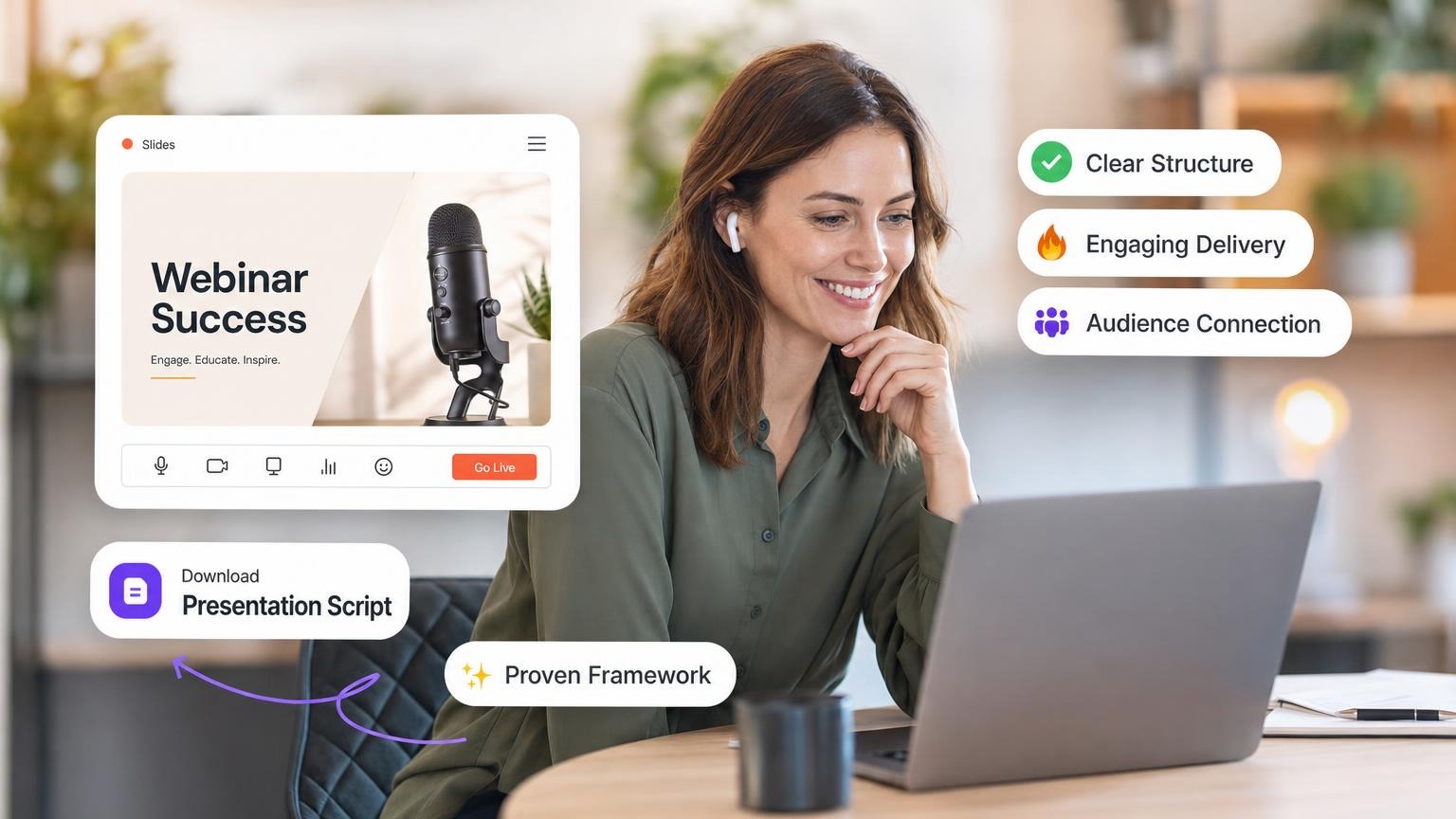
The Perfect Webinar is a sales presentation script by Russell Brunson, the co-founder of ClickFunnels. It runs 60 to 90 minutes and has four parts: an introduction, the One Thing (the Big Domino), three secrets that each break a false belief, and the Stack and close. This guide gives you the script template and the slides for each part.
The script breaks false beliefs and rebuilds them around your new opportunity. Your slides must follow the same order. If they do not, you lose the room.

This breaks down how to structure your Perfect Webinar presentation slides, from the "How to... Without..." title to the final stack.
Perfect Webinar script template at a glance
The script has four parts, and the three secrets each get their own block of time. ClickFunnels' own Perfect Webinar guide splits a 90-minute webinar into five blocks:
| Block | Minutes | Your job | Slides |
|---|---|---|---|
| Introduction and origin story | 15 | Hook the room, build rapport, state the Big Domino, tell your epiphany story | 1 to 8 |
| Secret 1: the vehicle | 15 | Break the false belief about your method | 9 |
| Secret 2: internal beliefs | 15 | Break "I can't do this" | 10 |
| Secret 3: external beliefs | 15 | Break "something outside will stop me" | 11 |
| Stack and close | 30 | Ask permission, stack the offer, reveal the price, close | 12 to 17 |
The slide numbers match the slide previews in each part of this guide.
Each secret follows the same loop. Name the false belief, tell the story that changed your mind, then restate the secret as true.
Fill-in-the-blank script template
Copy this and fill in the brackets. The result is the skeleton of your script and the headline for each slide.
TITLE
How to [result they want] without [thing they fear]

BIG DOMINO
The only way to [result] is through [your vehicle].

ORIGIN STORY (EPIPHANY BRIDGE)
Before: I was [struggle].
Wall: I tried [old way] and hit [frustration].
Epiphany: Then I found [vehicle].
After: Now I have [result].

SECRET 1: THE VEHICLE
False belief: [what they think about the method]
Headline: How to [benefit] without [pain]
Proof: [case study or screenshot]

SECRET 2: INTERNAL BELIEFS
False belief: [why they think they cannot do it]
Headline: How to do this even if [internal fear]
Proof: [the tool or shortcut that makes it easy]

SECRET 3: EXTERNAL BELIEFS
False belief: [time, money, or market]
Headline: How to succeed despite [external force]
Proof: [comparison or timeline]

TRANSITION
Let me ask you a question. Is it okay if I spend
10 minutes on an offer I made to help you do this?

STACK (repeat all earlier items on each slide)
Item 1: [name], value $[A]
Item 2: [name], value $[B]
Item 3: [name], value $[C]
Total value: $[A + B + C], at least 10x the price

IF/ALL (ask once for each secret, wait for yes)
If all this did was [benefit of the secret],
would it be worth $[total value]?

PRICE AND CLOSE
Price: $[price]
Button or URL: [link]
Countdown: 30 minutes
Q&A: [prepared questions, one per slide]
Filled example
This offer is invented to show the template in use: a $297 online course that teaches freelance designers to sell fixed-price packages.
| Slot | Example line |
|---|---|
| Title | How to fill your design calendar without pitching on job boards |
| Big Domino | The only way to get steady freelance income is through one fixed-price package |
| Secret 1 (vehicle) | How to sell one package without writing custom proposals |
| Secret 2 (internal) | How to name your price even if you hate sales calls |
| Secret 3 (external) | How to find buyers despite a crowded market |
| Stack | Course $1,497, proposal templates $497, pricing calculator $297, two group calls $797. Total value $3,088 |
| If/All | If all this did was replace custom proposals with one package, would it be worth $3,088? |
| Price | $297, with a 30-minute countdown |
When the brackets are filled, the slide work is mechanical. Paste the filled template into GenPPT as your prompt, or upload your script as a PDF or Word file. GenPPT drafts an outline for you to approve, then designs the slides.
The Foundation: Your Title Slide
Before you open PowerPoint (or GenPPT), pick a title that carries the pitch.
The Formula: "How to [Result They Desire]... Without [Thing They Fear]"
Why This Works on a Slide
- Visual Contrast: Puts your "New Opportunity" against their old, painful methods.
- Curiosity Gap: Makes them wonder, "How is that possible?" and keeps them on screen.
Slide Tip: Keep it clean. Big bold text for the "Result," and a clear, contrasting sub-headline for the "Without."
Part 1: The Introduction (Slides 1-5)
Your first slides capture attention, build trust, and set the "ruler" for success. Brunson says the biggest drop-offs hit in the first 10 minutes and at the transition to the close. Stay energetic from the moment people log in.
Pro Tip: Start your webinar 5-10 minutes early. Brunson loops a 20-30 second intro while people log in, so new arrivals hear energy and not silence. Keep talking and count down to the start.
1. The Hook / Title Slide
- Content: Your "How to... Without..." headline.
- Visual: A compelling image of the result (not the process).
2. The "One Sentence Persuasion" Slides
Build rapport fast. Use 1-2 slides to cover these five points:
- Justify Failures: "It’s not your fault you haven't succeeded yet."
- Allay Fears: "If you're worried about X, don't be."
- Throw Rocks: Call out the "enemies" (banks, big pharma, competitors).
- Confirm Suspicions: "You were right to be suspicious of X."
- Encourage Dreams: "You can actually achieve Y."
3. The Ruler (The Goal)
- Content: "My Goal for This Presentation."
- Slide Structure:
- "For Beginners: You will learn..."
- "For Experts: You will discover..."
- Why: Everyone sees themselves in the audience.
4. The Stay-Until-The-End Bonus
- Visual: A mock-up or image of a free gift.
- Text: "Free Bonus for Everyone Who Stays Until the End."
- Purpose: Keeps people on until the close.
Part 1: Introduction Slides
The Hook / Title Slide
Your 'How to... Without...' headline
Visual: A compelling image of the RESULT (not the process)
Example: 'How to Make $17,000/Day Without Hiring a Tech Team'
Ready to create your presentation?
Turn this structure into slides in minutes with GenPPT
Part 2: The One Thing (The Big Domino)
This section sets up your core argument. Knock down the Big Domino, the one belief that, if changed, makes all other objections irrelevant.
One focus: Your entire webinar targets ONE THING. Brunson credits marketer Perry Belcher with this finding: sales presentations that try to convince people of two or more things bomb 9 times out of 10. One clear concept converts better.
If you can fill in this sentence, you've found your "One Thing":
- "How to [What They Want]... Without [What They Hate]"
For example: "How to sell high-ticket packages without ever talking on the phone" or "How to create profitable funnels without hiring designers or programmers."
5. The Big Domino Statement
- Slide Text: "The Only Way to [Result] is through [Your Vehicle]."
- Design: Make this statement stand out. It's the thesis of the deck.
6. The Expert Positioning
- Content: Who are you?
- Visuals: Photos of you doing the thing. Skip headshots alone. Show external results (money, awards) and internal results (happiness, freedom).
7. Epiphany Bridge #1 (Origin Story)
- Slides: Use a series of simple images to tell your story.
- The "Before" (The struggle).
- The "Wall" (The frustration).
- The "Epiphany" (The discovery).
- The "After" (The success).
- Pro Tip: Keep script off the slide. Use photos to trigger emotions while you tell the story.
Part 2: The One Thing (Big Domino) Slides
The Big Domino Statement
The Only Way to [Result] is through [Your Vehicle]
Make this statement stand out - it's the thesis of your entire presentation
Ready to create your presentation?
Turn this structure into slides in minutes with GenPPT
Part 3: The Three Secrets (The Meat)
This is the core content. Break and rebuild belief patterns with three secrets.
The point: The three secrets don't introduce new beliefs. They target false beliefs your audience already holds about your "One Thing." Identify them, shatter them, rebuild them.
How to Identify Your Three False Beliefs
In his talk, Brunson says the three core ideas come down to time or money about 95% of the time, plus one other thing:
- Time - "This takes too long" or "I don't have time"
- Money - "This costs too much" or "I can't afford it"
- One market-specific pain point - The unique objection in your niche
These objections fill the three slots below. Each one is a false belief about the vehicle, about the viewer's own ability, or about an outside force.
Look at the last 10 times your audience tried to solve this problem. Each failure points to an objection. Those objections are your three false beliefs.
Secret #1: The Vehicle (The "What")
- Slide: "Secret #1: How to [Benefit] without [Pain]."
- Content: Prove that your new opportunity works.
- Case Studies: Show screenshots or photos of others getting results.
Secret #2: Internal Beliefs (The "Can I Do It?")
- Slide: "Secret #2: How to do this even if [Internal Fear]."
- Content: Address the "I'm not smart enough / tech-savvy enough" objection.
- Visual: Show a tool or hack that makes it easy.
Secret #3: External Beliefs (The "What About X?")
- Slide: "Secret #3: How to succeed despite [External Force]."
- Content: Address time, money, or market conditions.
- Visual: A comparison chart or timeline showing why now is the time.
Part 3: The Three Secrets (Breaking Beliefs)
Secret #1: The Vehicle
Secret #1: How to [Benefit] without [Pain]
Prove that your new opportunity works
Show case studies and screenshots of others getting results
Restate the secret as an undeniable truth
Ready to create your presentation?
Turn this structure into slides in minutes with GenPPT
Part 4: The Stack (The Close)
Most presentations fail at the transition to the sale. The Stack Slide fixes that.
8. The Transition & Trial Closes
Before you sell, get them nodding. Russell Brunson learned "Trial Closes" from Ted Thomas, a stage speaker whose nickname is "the Pied Piper". Ask dozens of small yes/no questions throughout the presentation. Each answer should be obvious.
Examples of Trial Closes:
- "How many guys want to see behind the scenes of a funnel making $17,000 a day?"
- "Does this make sense?"
- "Are you getting excited?"
- "Can you imagine if that happened to you?"
- "Isn't that cool?"
Brunson estimates he asks for "yes" at least 1,000 times during one presentation. By the time he asks for money, they've said yes hundreds of times.
The Magic Transition Question: After going through your content, say: "Let me ask you a question..."
Then ask permission: "Is it okay if I spend 10 minutes going over a special offer I created to help you implement this?"
- Slide: A funny or lighthearted image (like a person drinking from a firehose) to relieve tension.
- Wait for the awkward silence. Wait for them to say yes. Once they give permission, the sell feels normal.
9. The Stack Slides (Crucial!)
Brunson learned the Stack from Armand Morin. Brunson reports that Morin closed about half of a room of 1,000 people with it. That figure is Brunson's own account, and we could not verify it.
The first time Brunson used a stack on stage, he says he made over $100,000 in sales, his biggest result to that point.
The problem: Attention spans are short. Show 10 things, then reveal the price, and they tie the price to the last item alone. If that last item doesn't justify the price, they won't buy.
The fix: Restack the offer every time you introduce a new component. Talk about Item 1, show it on the stack slide. Talk about Item 2, show Items 1 + 2. Keep restacking until the final slide shows everything.
- Slide A: Item 1 (Value: $X)
- Slide B: Item 1 + Item 2 (Total Value: $Y)
- Slide C: Item 1 + Item 2 + Item 3 (Total Value: $Z)
Visual Rule: Show the Total Value growing at the bottom of the slide. The final stack slide should show a total value at least 10x the price.
Say the restack out loud every time: "So that means you're going to get [Item 1] plus [Item 2], total value of $Y." Brunson says he will never sell from a webinar or a stage again without a stack.
10. If/All Statements (Before Price Reveal)
Before you reveal the price, get them to agree the offer is worth the total value. Use "If/All" statements, which Brunson learned from Dave VanHoose:
The Process:
- Show them the total value (e.g., $11,552)
- Say: "Now obviously, I'm not going to charge you $11,552. But if I DID charge you $11,552, and all it did was [benefit from Secret #1], would it be worth it?"
- STOP and wait for yes
- Repeat for Secret #2: "And if all it did was [benefit from Secret #2], would it be worth it?"
- STOP and wait for yes
- Repeat for Secret #3: "And what if all it did was [benefit from Secret #3], then would it be worth it?"
- STOP and wait for yes
They've said yes three times that your offer is worth $11,552. Reveal $997 and they're getting a 90% discount on something they valued at $11,552.
11. The 16 Closes (After Price Reveal)
After the price reveal, run specific "closes" to break remaining objections. Brunson has 16 favorites. Use 7-9 per presentation:
- Money Replenishes: "Money comes back every two weeks. Time is gone forever."
- Break Old Habits: "If you leave now, you'll go back to your old routine. Investment creates commitment."
- Information Alone: "You can't do this with just information. You need a guide/accountability."
- Us vs. Them: "Are you a do-er or a dabbler?"
- I Had Two Choices: "I could go cheap and sell many, but then I couldn't stack value. So I chose option two - slightly higher investment but way more value for you."
- Their Two Choices: "You can do nothing (100% risk-free) or invest this tiny amount and see if it works. If it doesn't, you get your money back."
12. The Price Reveal & Final Slide
Part 4: The Stack & Close Slides
The Transition Question
Magic phrase: 'Let me ask you a question...'
Show funny/lighthearted image (person drinking from firehose)
Script: 'How many of you are feeling overwhelmed? Is it okay if I spend 10 minutes going over a special offer?'
WAIT for permission - awkward silence is okay
Ready to create your presentation?
Turn this structure into slides in minutes with GenPPT
- Slide: The final price (dropped from the total value).
- Visual: A large "Get Started" button or URL.
- Urgency: A countdown timer (critical)
The 30-Minute Countdown Clock: Brunson tested 10-minute, 15-minute, and 30-minute clocks. Sales stopped the second the clock hit zero. With 30 minutes, he says more than half of his sales, and up to three quarters, come in during the countdown after the price reveal.
What to Do During the Countdown:
- Keep talking (no lulls)
- Answer pre-loaded questions (Brunson has about 50 questions on slides)
- Answer live questions from the audience
- Give another call-to-action after each question
- Keep energy high. A lull kills purchases.
The Final Slide Should Include:
- Recap of the entire offer
- The price in green (green means go)
- Call-to-action URL
- 30-minute countdown clock
- All components visible so they can see what's included
Perfect Webinar slide checklist
Use this list to check your deck before you present. The numbers match the slide previews above.
| # | Slide | What goes on it |
|---|---|---|
| 1 | Hook / title | "How to [result] without [fear]" and an image of the result |
| 2 | One Sentence Persuasion | Justify failures, allay fears, throw rocks, confirm suspicions, encourage dreams |
| 3 | The Ruler | Your goal for beginners and your goal for experts |
| 4 | Stay-until-the-end bonus | A picture of the gift |
| 5 | Big Domino | "The only way to [result] is through [vehicle]" |
| 6 | Expert positioning | Photos of you doing the work, external and internal results |
| 7 | Epiphany Bridge | Before, wall, epiphany, after. Photos only, no script text |
| 8 | Liken your story to them | The old way, why it is hard, how your way is easier |
| 9 | Secret 1: vehicle | The headline, case studies, screenshots of results |
| 10 | Secret 2: internal | The headline and the tool or shortcut that makes it easy |
| 11 | Secret 3: external | The headline and a comparison chart or timeline |
| 12 | Transition | A light image while you ask permission to show the offer |
| 13 to 15 | Stack slides | One new item per slide, all earlier items repeated, total value at the bottom |
| 16 | If/All | The total value on screen while you ask the three questions |
| 17 | Price reveal | Price, button or URL, 30-minute countdown, full offer recap |
| After 17 | Q&A slides | One prepared question per slide, then the call to action again |
Five checks before you go live:
- One idea per slide. Your script goes in the speaker notes, not on the slide.
- The first slide earns the next minute. If your title is weak, borrow a pattern from these presentation hook examples.
- Every stack slide repeats all earlier items and shows the running total value.
- The price slide shows everything at once: the price, the URL, the countdown, and the full recap.
- You have rehearsed with a timer. This slides-per-minute guide helps you pace 60 to 90 minutes.
The Perfect Webinar Funnel: Getting People to Show Up
The deck is half the work. You still need a funnel to get people registered and showing up.
The Registration Page
Curiosity drives registration. Your headline opens a knowledge gap they can't close on their own. If they can answer it in their head, they won't register.
Bad Headline: "The Fastest Way to Lose Weight" (They think: "Cut out carbs." No need to register.)
Good Headline: "How to Make $17,000 Per Day with a Weird Niche Funnel and Ethically Knock It Off in 10 Minutes" (They think: "What? How is that possible?" They register.)
The Page Should Include:
- Your "One Thing" headline
- Your three secrets (as sub-headlines)
- A curious, nonsensical image (Brunson uses a photo that doesn't make sense on purpose)
The Thank You Page (After Registration)
On the thank-you page:
- Get them excited: Video thanking them and hyping the webinar
- Have them write down date/time. Don't rely on email alone
- Sell something small to cover ad costs and start the buying process
- Brunson sells a free trial to ClickFunnels (gets credit card, predisposes them)
- Or sell a $1 book, quick-start guide, etc.
The Indoctrination Sequence
Send 3 videos over 2-3 days before the webinar:
- Video 1: Anatomy/overview (gets them excited)
- Video 2: How to design/plan (builds anticipation)
- Video 3: How to build/implement (shows it's easy)
Timing: In Brunson's ideal case, a viewer registers on Monday, watches one video on Monday, one on Tuesday, and one on Wednesday morning, then joins the webinar on Wednesday.
The Encore Webinar
After the live webinar, announce an "Encore" for Friday (same time). You capture people who missed it. Brunson replays the Wednesday recording while his staff answers questions in the chat. He says the encore usually brings almost as many sales as the live webinar.
The Replay Sequence
After the encore, send replay emails:
- Saturday morning: Replay link
- Sunday morning: Replay + cliff notes PDF
- Sunday (6 hours before close): Final email with urgency
Brunson says about a third of his sales come in the last 6 hours. Send the urgency message: "6 hours left, offer disappears forever."
Perfect Webinar Secrets: price and what you get
Perfect Webinar Secrets is the official product: Brunson's script plus video training. It is sold at perfectwebinarsecrets.com. These are the prices on the sales page, checked on October 2, 2026:
| Item | Price | What you get |
|---|---|---|
| Perfect Webinar Secrets | $7, one time | The script, the Perfect Webinar training, Funnel Frameworks training, Stack training, and a webinar funnel with 7 pre-built funnels |
| Perfect Webinar slide deck | $47 add-on at checkout | Brunson's own slide deck. You put your offer into it |
| Expert Secrets (book) | Varies by seller | The book that teaches the framework in full |
The ClickFunnels support page confirms that the $7 is a one-time payment with no subscription and a 30-day money-back guarantee.
The sales page does not say which slide app the $47 deck is made for or how many slides it has. Check that before you add it to your order.
The script tells you what to say. The $47 deck gives you Brunson's slides to adapt. You still write your own stories, choose your own images, and build a stack for your own offer.
How to Build This Deck in Minutes (Not Days)
Structuring a Perfect Webinar deck takes time. Stack slides, Epiphany Bridge images, psychological flow: each piece eats hours.
GenPPT handles the layout.
Skip the blank PowerPoint slide:
- Enter your topic (e.g., "Webinar on Funnel Building"). You can also paste your filled script template, or upload the script as a PDF or Word file.
- Let AI structure the deck: GenPPT researches the topic and drafts an outline. Name the four parts in your prompt so the outline follows them, then approve it.
- Auto-Generate the Stack: Pick a visual concept. GenPPT designs every slide, stack slides included, in about 2 to 3 minutes. Then edit in chat, for example ask for one restack slide for each offer item.
Create your Perfect Webinar Presentation with GenPPT →
Export the deck to PowerPoint (.pptx) or PDF. The .pptx file opens in PowerPoint, Google Slides, and Keynote, so you can present from the app that your webinar tool supports.
Two limits to know before you start:
- The slides are image-native designs. A chart on a slide is not linked to an Excel file.
- GenPPT can draft your proof slides, but the results, testimonials, and prices must be yours. Check every number before you present.
Start from one of these prompts:
- Perfect Webinar slides for an online course launchCreate
- Perfect Webinar deck for a coaching program with three secretsCreate
- Webinar stack and close slides for a software offerCreate
- Perfect Webinar slides for a membership community launchCreate
- Webinar origin story and Big Domino slides for a consulting offerCreate
GenPPT has no free plan. The trial is $1 for 3 days of full access, and a card is required. After that it is $25/month or $99/year, with 20 decks per month and watermark-free .pptx and PDF export. See pricing.
Frequently Asked Questions
What is the Perfect Webinar?
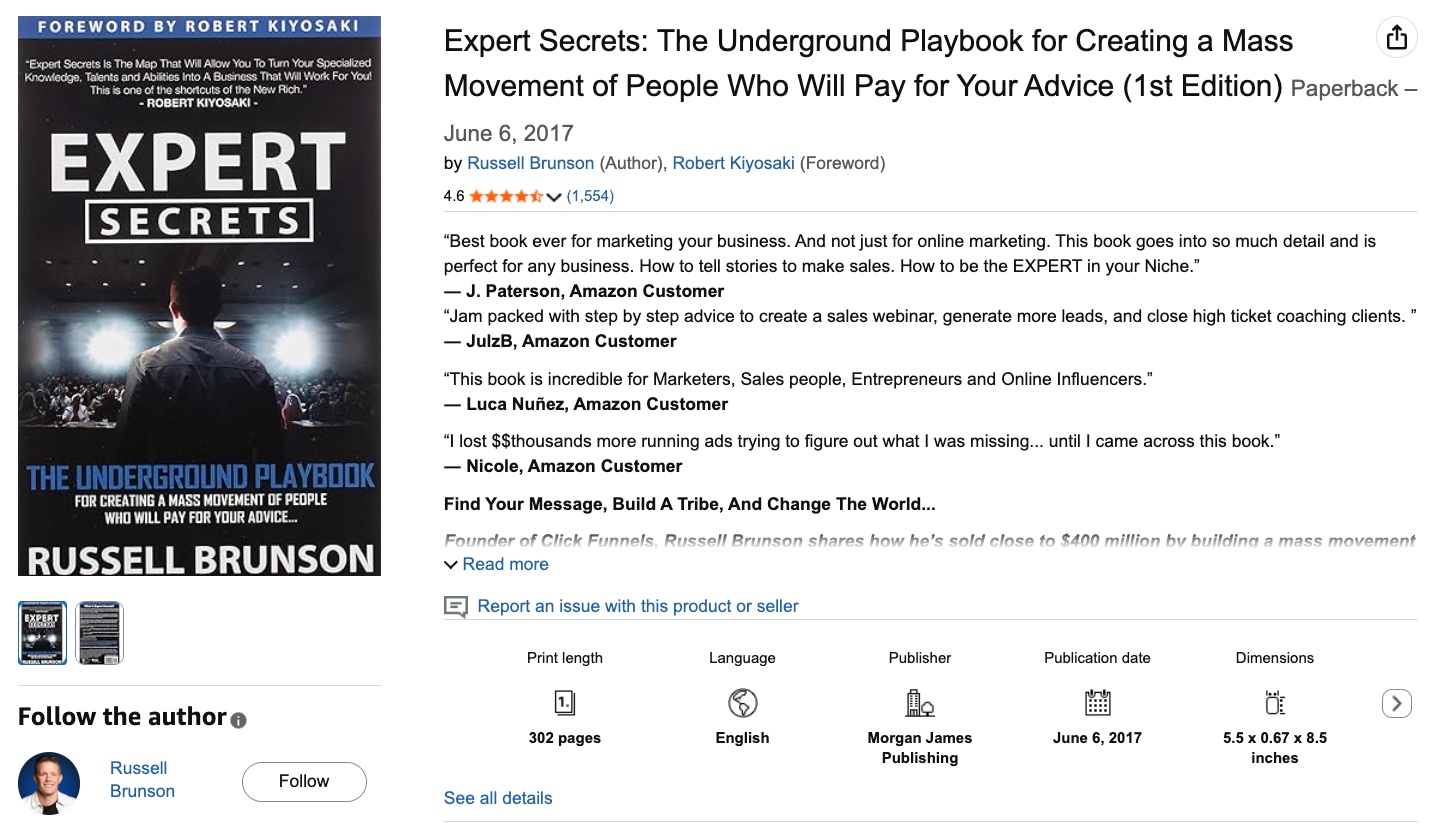
Russell Brunson's Perfect Webinar is a sales presentation framework that uses storytelling and psychological triggers to break false beliefs and close sales. It is detailed in his book Expert Secrets.
How long should a Perfect Webinar presentation be?
A Perfect Webinar runs 60 to 90 minutes. ClickFunnels' 90-minute plan gives 15 minutes to the origin story, 15 minutes to each secret, and 30 minutes to the stack and close. See the timing table.
Do not cut the 30-minute countdown after the price reveal. Brunson says more than half of his sales come in during it.
For a much shorter format, the second edition of Expert Secrets also has a 5-Minute Perfect Webinar for short sales videos and lower-priced offers.
What are the conversion rates for a Perfect Webinar?
According to Brunson's own figures in his talk:
- 7-8% close rate = Good webinar, makes good money
- 10% close rate = Million-dollar webinar
- 15% close rate = What Brunson consistently achieves (he said his ClickFunnels webinar had made just under $10 million at the time of the talk)
- 50% close rate = What Brunson achieves from stage presentations
The current ClickFunnels guide sets a lower bar: a webinar is good if 5% of attendees buy, and it can scale if 10% buy. These are Brunson's and ClickFunnels' own figures, not independent data.
Should I do my webinar live or automated?
Do it LIVE first, many times. Every time you do it live, export the Q&A questions, identify what people are stuck on, and tweak your slides.
In his talk, Brunson says he had done his webinar live more than 40 or 50 times, and that one live run closed $120,000 in sales after he tweaked the slides. ClickFunnels says he ran the same webinar nearly 70 times before he automated it. He says he would have left millions on the table if he had automated early.
Can I use this framework for non-sales presentations?
Brunson built it for sales, but the belief-breaking structure works for persuasive speeches, fundraising, and educational talks where you want the audience to adopt a new way of thinking. For an investor pitch, use a pitch deck structure instead.
What are the three secrets in the Perfect Webinar?
The three secrets are the main content of the webinar. Each one breaks a false belief. Secret 1 is about the vehicle (your method), Secret 2 is about internal beliefs (the viewer's doubt in their own ability), and Secret 3 is about external beliefs (time, money, or other outside forces).
You tell one story for each secret, then restate the secret as true.
What is the Stack in the Perfect Webinar?
The Stack is the closing method. You present the offer one item at a time, and each new slide repeats every earlier item with a growing total value. The viewer then compares the price with the full offer, not with the last item you named. Brunson credits Armand Morin for the technique.
How much does Perfect Webinar Secrets cost?
Perfect Webinar Secrets costs a one-time $7 on the official sales page (checked October 2026) and has a 30-day money-back guarantee. Brunson's own slide deck is a $47 add-on at checkout.
You can use the script with any slide app and any webinar tool. The sales page lists the 7 pre-built funnels as Share Funnels, which is a ClickFunnels format.
How many slides does a Perfect Webinar need?
There is no fixed slide count. This guide maps 17 core slides, and a 60 to 90 minute webinar needs more: a photo slide for each story beat, a stack slide for each offer item, and a slide for each prepared Q&A question.
Keep one idea on each slide and use the slide checklist to find gaps. For a shorter sales meeting, see these sales deck examples.
Does GenPPT have a Perfect Webinar template?
GenPPT does not have a fixed Perfect Webinar template. You give it the structure: name the four parts in your prompt or upload your script, approve the outline, and it designs the slides. The script template on this page works as the prompt.